
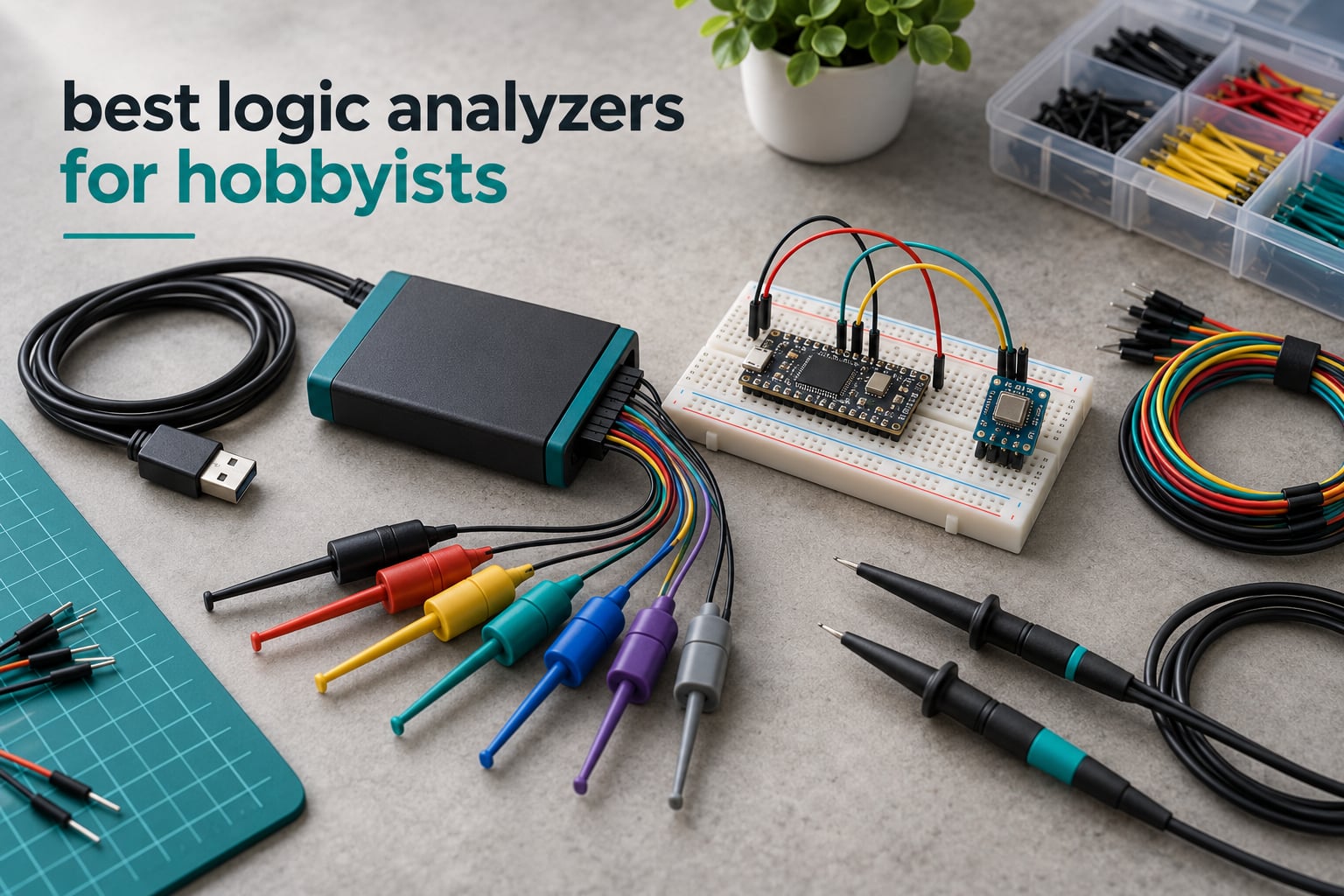
Short answer: for most hobbyists the HiLetgo 24MHz 8-channel USB logic analyzer is the best place to start, the InnoMaker LA1010 is the best upgrade for wider buses, and the Saleae Logic 8 is the best all-round buy if your budget stretches further. All three decode I2C, SPI and UART, run on Windows, macOS and Linux, and pair with free or low-cost software.
A logic analyzer samples many digital lines at once and draws them as a waveform, so you can see the actual bits a microcontroller pushes onto a bus. When a sensor stops responding or a display stays blank, the analyzer shows you the transaction that failed instead of leaving you guessing.
That guesswork is exactly where most hobby projects die. A display that stays blank, a sensor that reads zero, a bootloader that never reaches its prompt – these are nearly always bus or timing faults, and a logic analyzer turns them into something readable. Our team compared all ten units below on channel count, sample rate, capture depth, decoder coverage and software, and we leaned heavily on what makers report in the Arduino, SparkFun and r/embedded threads where this question gets argued most.
One quick note before we start: this is a digital tool, not a voltage meter. If you also want to look at analog behaviour – signal levels, rise times, ringing, anything that is not a clean 0 and 1 – you will want an oscilloscope for hobbyists as well. Several units below bundle both in one box, which is often the smartest first purchase.
Table of Contents
What a Logic Analyzer Does? (and Why Hobbyists Buy One)
A logic analyzer repeatedly reads the state of every connected channel at a fixed sample rate, stores each sample in memory, and plots the result over time. Decoder software then matches that bit stream against known protocols and labels the bytes, addresses and transactions for you.
An oscilloscope shows you voltage against time on a handful of channels. A logic analyzer shows you binary state against time on many channels, which is why it wins whenever the question is “what is this chip saying” rather than “what does this signal look like”. The trade runs the other way for analog questions, and it is why several picks here pair an analyzer with a scope.
Three numbers get conflated more than any others, so here is the clean version. Sample rate is how fast the analyzer samples, and it is the number buyers fixate on. Bandwidth is how faithfully an analog channel reproduces a signal. Capture depth is how much history fits in memory before older samples are overwritten, and it is the number that decides whether your capture contains the failure or only the aftermath.
Channel count is simpler than it looks. Eight channels handles one SPI or I2C bus with room for chip select lines, chip select, ground and a couple of spares. Sixteen channels covers a memory bus, a display controller, or two buses at once. Thirty-two channels and beyond is for parallel data, LCD controllers and video-class signals, and it is where hobby buying usually stops making sense.
Sample rate deserves a reality check. I2C at 100 kHz, 400 kHz and 1 MHz, UART at 115200 baud, SPI at a few MHz, SWD and JTAG debug ports – all of these sit comfortably inside a 10 to 25 MHz analyzer. Headline figures of 100 MHz, 200 MHz and 400 MHz are real marketing numbers, and they matter for fast SPI, memory buses and signal integrity work, but they are not what decides an I2C sensor debug. Paying several times more for MHz you will not use is the most common mistake in this category.
What actually breaks captures is setup, not hardware. If your trigger never fires, the decoder shows nothing and beginners assume the tool is faulty. Set a simple edge trigger on a clock or chip select line first, widen it until the capture fills, then add protocol-specific conditions. That one habit fixes more failed captures than any spec upgrade.
Top 3 Picks for Hobbyist Debugging (October 2026)
These three cover the range most readers need: a low-cost entry, a mid-tier step up, and a premium buy.

HiLetgo 24MHz 8-Channel Analyzer
- 8 channels at up to 24 MHz
- Free sigrok and PulseView support
- UART
- I2C and SPI decoding
- USB Type A to mini USB-B cable

InnoMaker LA1010 16-Channel
- 16 channels at up to 100 MHz
- KingstVIS with 30+ decoders
- Windows
- macOS and Linux
- Portable handheld body

Saleae Logic 8
- 8 digital or analog inputs
- 100 MS/s digital and 10 MS/s analog
- 10 billion+ digital samples
- 23+ protocol analyzers
Quick Overview: All 10 Logic Analyzers Compared
Every unit in this roundup, with the specs that actually differ between them. Use the check buttons to see current pricing.
| Product | Specifications | Action |
|---|---|---|
| HiLetgo 24MHz 8-Channel |
|
Check Latest Price |
| InnoMaker LA1010 |
|
Check Latest Price |
 EspoTek Labrador EspoTek Labrador |
|
Check Latest Price |
 Comidox CP317 Comidox CP317 |
|
Check Latest Price |
| Saleae Logic 8 |
|
Check Latest Price |
 LONELY BINARY Analyzer Kit LONELY BINARY Analyzer Kit |
|
Check Latest Price |
| Saleae Logic Pro 8 |
|
Check Latest Price |
 Digilent Analog Discovery 3 Digilent Analog Discovery 3 |
|
Check Latest Price |
 DSLogic Plus DSLogic Plus |
|
Check Latest Price |
 Saleae Logic Pro 16 Saleae Logic Pro 16 |
|
Check Latest Price |
1. HiLetgo 24MHz 8-Channel USB Logic Analyzer – The Best Logic Analyzer for Hobbyists Overall
HiLetgo USB Logic Analyzer Device with EMI Ferrite Ring USB Cable 24MHz 8CH 24MHz 8 Channel UART IIC SPI Debug
8 digital channels
Up to 24 MHz sampling
-0.5V to 5.25V input range
USB Type A to mini USB-B
Pros
- Works immediately with free sigrok and PulseView
- Decodes UART
- I2C and SPI cleanly
- 24 MHz ceiling suits everyday bus debugging
- Small USB-powered body with ferrite-ring cable included
Cons
- No on-board capture buffer so the host PC must keep up
- No probes included and the supplied jumper wires are of limited use
- Sparse documentation and a tricky WinUSB install via Zadig
This is the unit I recommend to people starting out, and it is the one I reach for when I just need to know what an ESP32 is doing on an I2C bus. It captures eight channels at up to 24 MHz, with selectable rates from 50 kHz upward, and the input range of -0.5V to 5.25V covers 3.3V and 5V logic without any fuss.
Pair it with sigrok and PulseView, both free, and the decoder list covers everything a hobby project realistically needs. UART, I2C and SPI all decode cleanly. The signal path is a straightforward USB analyzer with a ferrite-ring cable included, which is a nice touch because those cables are the part that usually fails first.
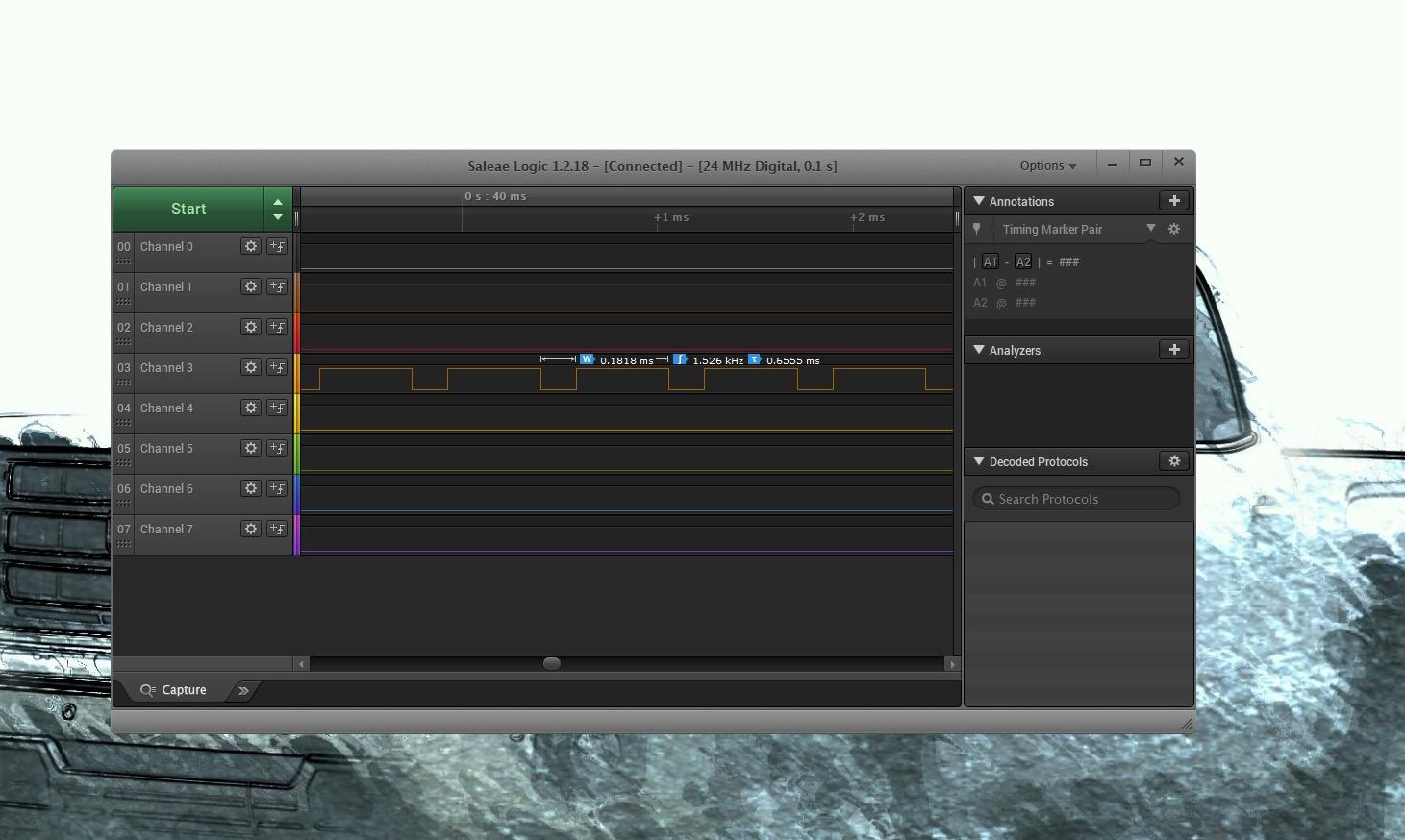
Two caveats shaped my advice. There is no on-board capture buffer, so at high sample rates your computer has to keep pace with the data stream, and what you see depends on how busy the host is. And there are no real probes in the box, so plan on buying a set of clips or a pin header adapter before you get comfortable with it.
That is genuinely the whole list. The community consensus in the r/AskElectronics and r/embedded threads matches what we saw: this class of analyzer handles serial, I2C and SPI debugging well enough that many makers never move up. Installing the WinUSB driver through Zadig is the step that trips people up, and a few models are not recognised by certain laptop ports, but that is a five-minute fix rather than a dealbreaker.
What you get for very little money
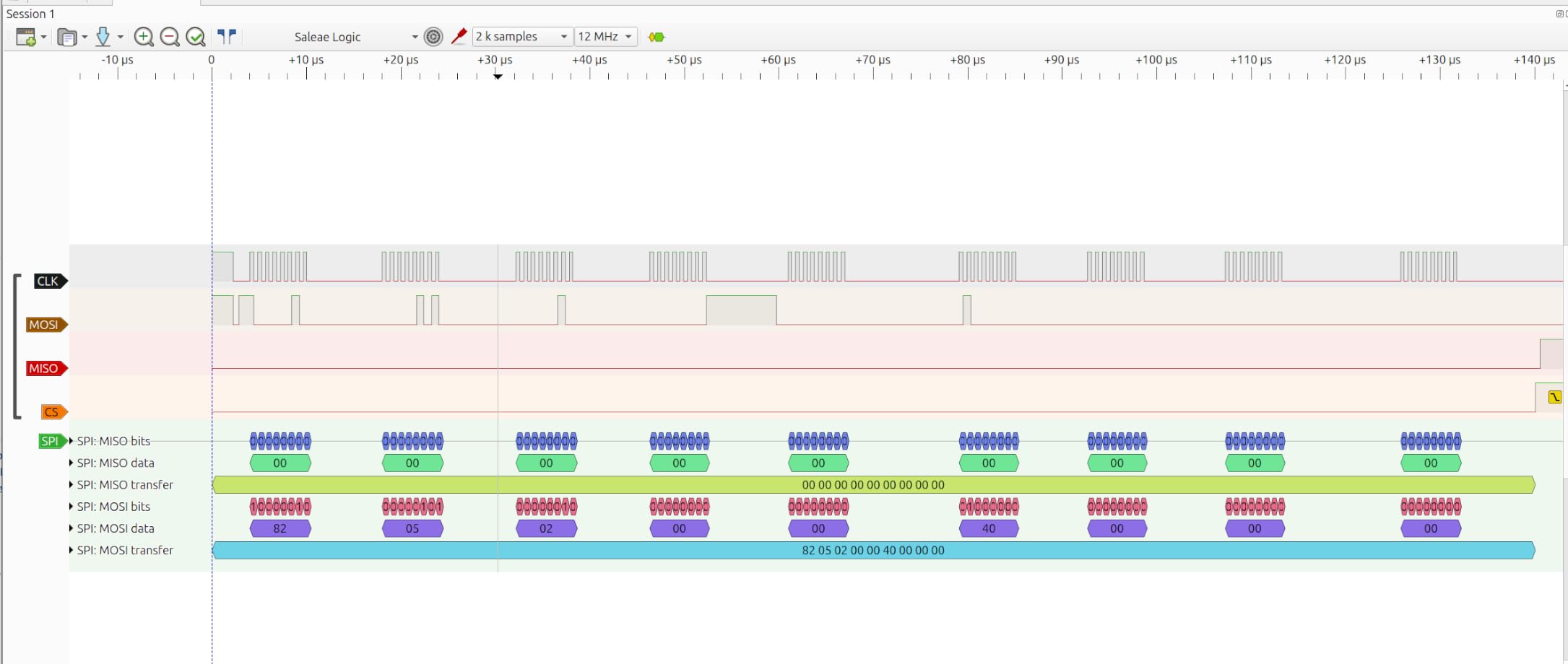
Eight channels at 24 MHz is enough for a full SPI bus with chip select, a complete I2C bus, a UART pair, and a few spare lines for reset or enable signals. That covers the overwhelming majority of hobby debugging, from a sensor that will not answer to a display controller that is writing garbage.
Reviewers consistently describe it as excellent value rather than merely cheap, which is a different claim. It does the job properly with free software instead of approximating the job with vendor software you have to buy.
When to spend more instead
Skip this if you need more than eight channels for a memory bus or a wide parallel display, or if you want analog probing on the same device. It also frustrates anyone who needs long, deep captures, since a host-dependent stream cannot hold a full boot log the way buffered memory can.
2. InnoMaker LA1010 16-Channel 100MHz Analyzer – Best Value Upgrade
innomaker LA1010 USB Logic Analyzer 16 Input Channels 100MHz with the English PC Software Handheld Instrument,Support Windows (32bit/64bit),Mac OS,Linux
16 input channels
Up to 100 MHz per channel
KingstVIS with 30+ decoders
Windows, macOS and Linux
Pros
- Color-coded connectors matching software channel colors
- Decodes an unusually broad protocol set including MIDI
- CAN and Modbus
- Drivers install on Windows
- macOS and Linux
- Good build with silicone-coated wires and clips
Cons
- Display refreshes in roughly one-second intervals
- Older models include a dated USB-B port and a CD-ROM disc
- Probe grabbers are unnumbered and wire colors can mismatch
Doubling the channel count to sixteen while staying in the mid-range tier is what makes this the value pick. At up to 100 MHz per channel it handles anything from a slow I2C sensor to a fast SPI peripheral, and the two extra channels per bus give you room to watch chip select lines alongside the data.
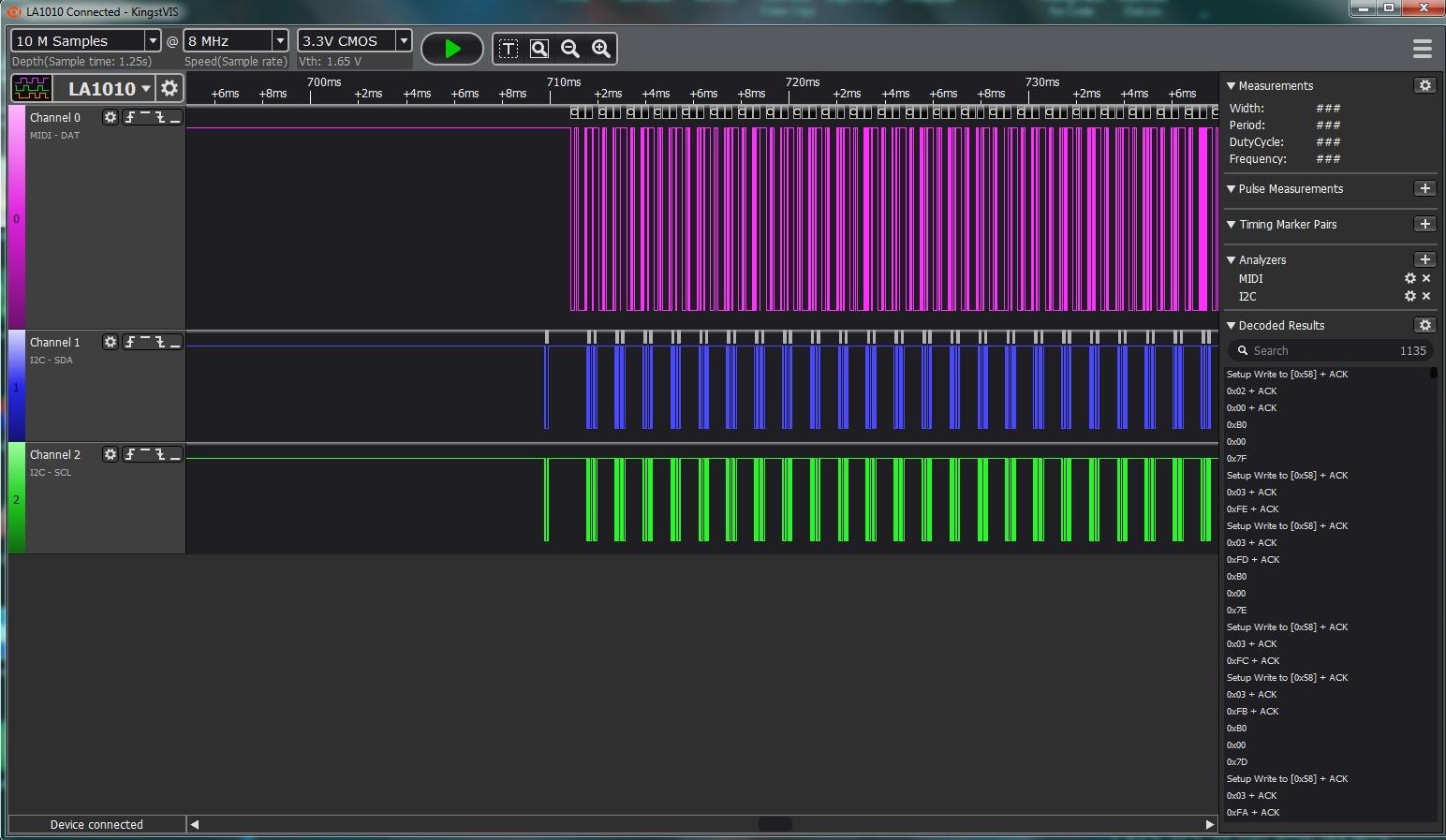
The bundled KingstVIS software is the differentiator most people do not expect. It decodes more than 30 protocols, including MIDI, CAN, Modbus, DMX512, 1-Wire and SDIO, which is far broader than the open-source stack offers out of the box. It also has data export and time-range tools that make it easy to pull a specific window out of a long capture for sharing.
Physical details are unusually thoughtful for the money. The connectors are colour-coded to match the channel colours in the software, which removes a genuinely frustrating source of channel-mapping errors, and the silicone-coated wires and clips survive being dragged across a breadboard. Drivers auto-install across all three major platforms.
The complaint that comes up repeatedly is display refresh. It updates in intervals of about a second, so it is not a substitute for a live scope view, but for capturing and decoding a bus it makes no difference. Older models also note the dated USB-B port and a software disc, and the probe grabbers are unnumbered with wire colours that do not always line up, so label them yourself before a long session.
When 16 channels genuinely helps
A 16-channel analyzer lets you capture a memory bus or a display controller without splitting the capture across two runs and trying to mentally align the timestamps. It also handles two unrelated buses at the same time, which is how most embedded debugging actually looks once a board has more than one peripheral on it.
For anyone working on LCD controllers, SPI flash, or an ESP32 with several chips attached, the extra channels remove a real constraint rather than adding a feature you never open.
Who should pass on it
Pass if you need analog inputs, since this is a digital-only instrument. Pass if you rely on a smooth live display, and pass if you are wedded to open-source tooling, because KingstVIS is proprietary bundled software rather than something you will find in PulseView.
3. EspoTek Labrador – The Best Budget Starter That Bundles Four Instruments
EspoTek Labrador: Easy-to-Use, Open-Source, All-in-One USB Oscilloscope, Signal Generator, Power Supply, Logic Analyzer, Multimeter for Windows, Mac, Linux, Android, Raspberry Pi
2-channel logic analyzer at 3 MSPS
2-channel 750 ksps oscilloscope
2-channel waveform generator
4.5-15 V programmable supply
Pros
- Tiny and inexpensive
- replacing several bench instruments at once
- Open-source hardware and software
- Plugs directly into breadboards
- Works on Windows
- Mac
- Linux
- Android and Raspberry Pi
Cons
- Accuracy is approximate across channels and readings
- Only a 2-channel logic analyzer at 3 MSPS
- Android app is buggy and largely abandoned
- Header pins do not align cleanly with standard breadboards
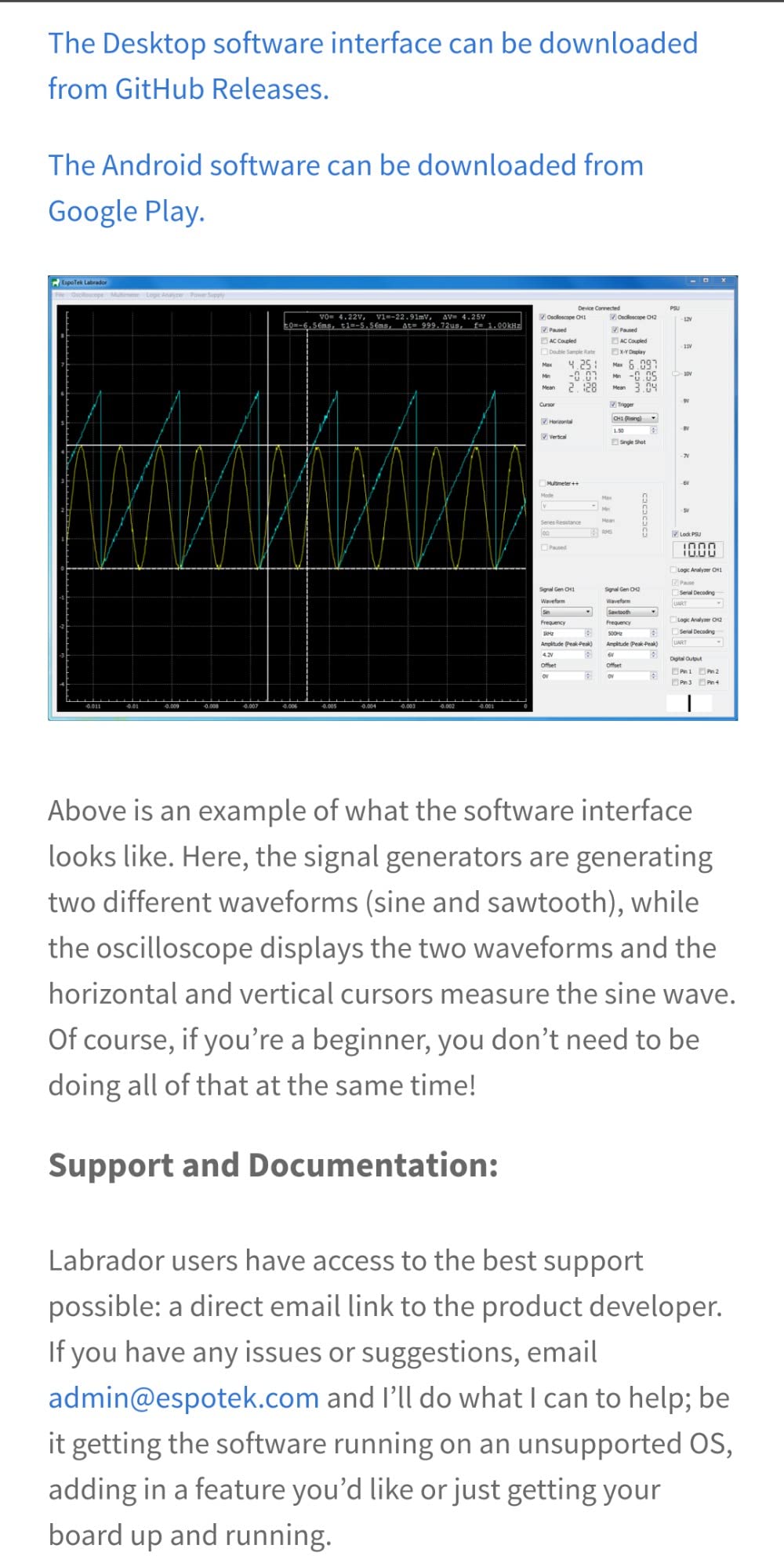
This is the odd one out in the list, and the oddness is the appeal. It is not a dedicated logic analyzer at all – it is a 20 g open-source box that contains a 2-channel 750 ksps oscilloscope, a 2-channel waveform generator, a programmable 4.5V to 15V supply with closed-loop feedback, a multimeter, and a 2-channel logic analyzer running at 3 MSPS with serial decoding.
That logic analyzer section is the weak point, and you should know that before buying. Two channels at 3 MSPS will happily decode a UART console or a slow I2C bus, which covers a real and common set of hobby tasks. It will not keep up with a fast SPI peripheral, and it is not a substitute for the eight-channel units elsewhere in this roundup when you are chasing a bus fault.
What it does well is everything else. If your project needs a supply rail, a test signal, a voltage reading and a serial decode, this replaces four pieces of gear with one that costs less than most of them. The open-source design and cross-platform support, including Raspberry Pi and Android, mean you are not locked into one vendor’s ecosystem.
Reviews split neatly into two camps. People love the size, the price and the open-source approach, and describe it as superb for casual circuit work and low-speed serial debugging. Critics focus on accuracy being approximate, with channel-to-channel and multimeter readings that disagree slightly, plus an Android app that crashes and looks abandoned. Header pins also do not sit neatly on a standard breadboard spacing.
Who it suits best
Students and early-stage builders get the most from it. Anyone who needs a bench that fits in a pocket, works alongside a Raspberry Pi, or wants an open instrument they can read the source for, will find this genuinely useful rather than a compromise.
It is also a good second purchase for people who already own a real logic analyzer but keep borrowing a friend’s bench supply and scope.
Where it falls short
Do not buy it as your only debugging tool if you work with SPI, and treat its readings as indicative rather than precise. The two-channel logic analyzer is the limitation that will frustrate you first on a multi-bus board.
4. Comidox CP317 24MHz 8-Channel Analyzer – Best for Arduino and FPGA Work
Comidox USB Logic Analyzer 24MHz 8 Channel Debug Tool for Arduino ARM FPGA
8 digital channels
Up to 24 MHz sampling
Saleae and PulseView compatible
0-5.5V input range
Pros
- Very low cost entry point for 8-channel capture
- Recognised by both Saleae software and PulseView
- Automatic UART
- I2C and SPI decoding in the box
- USB cable and ten Dupont leads included
Cons
- 24 MHz ceiling limits faster signals
- No meaningful documentation included
- No on-board buffer
- so the host PC must keep up
The Comidox CP317 is the same fundamental hardware class as the HiLetgo – 8 channels, 24 MHz ceiling, USB to host – but it is aimed at an explicit target list of Arduino, ARM and FPGA boards, and the box includes the analyser, a USB cable and ten Dupont lines. It also runs on both Linux and Windows out of the box.
It is recognised by both Saleae Logic software and sigrok with PulseView, which sounds like a small detail and is not. Being able to open the same device in two different tools means you can compare decoders on an identical capture, and if one software stack refuses to cooperate you have somewhere else to go.
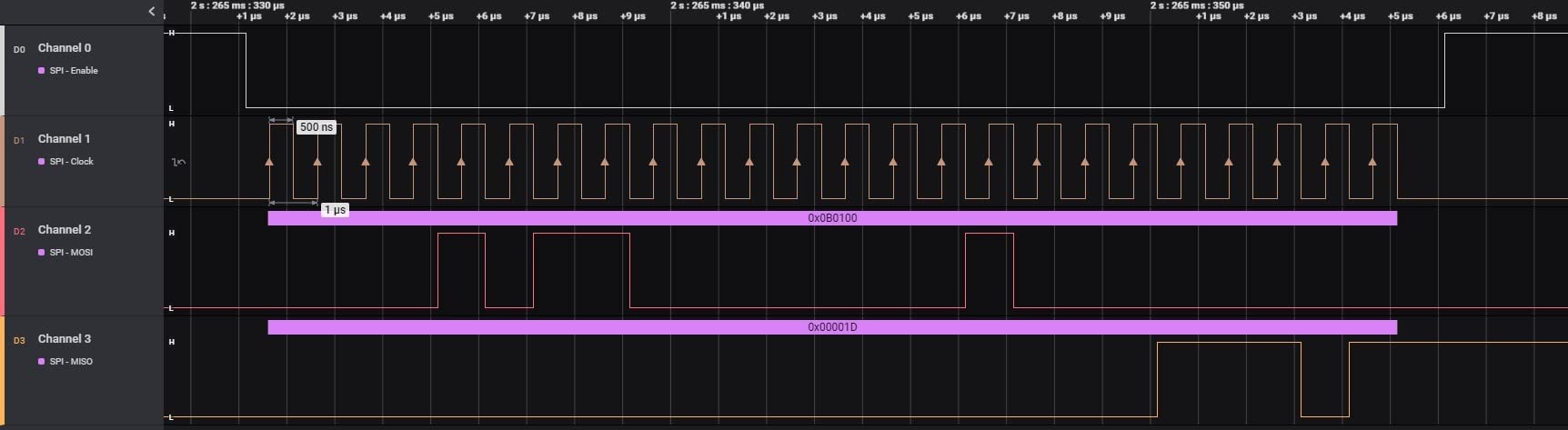
The 1.5V logic threshold is fixed, so it suits 3.3V and 5V systems cleanly. If you work with lower-voltage signals, 1.8V core logic for instance, you will want a unit with an adjustable threshold instead. That is worth remembering before you buy for a modern low-voltage board.
Reviewers treat it as a cheap, capable Saleae-compatible analyzer for Arduino, ARM and FPGA debugging. The recurring limitations are the 24 MHz ceiling, essentially no documentation, and the same host-dependent capture behaviour you get from every analyzer in this class.

Why it earns a place on this list
It is one of the few budget units that includes the ten Dupont leads you need on day one, so you are not immediately hunting for pin headers. Combined with dual software support, that removes two common first-day frictions for almost no money.
For an FPGA bring-up or an ARM target where you just need to see whether the bus is toggling, that combination is enough.
When to choose something else
Choose the InnoMaker if you need more channels, the DSLogic Plus if your signals run fast or your logic level is unusual, and the Saleae Logic 8 if you want analog probing on the same box. The fixed 1.5V threshold is the specific reason to move up when you work with low-voltage cores.
5. Saleae Logic 8 – The Best All-Round Buy
Logic 8 (Black) – Saleae 8-Channel Logic Analyzer
8 digital or analog inputs
100 MS/s digital, 10 MS/s analog
10 billion+ digital samples
23+ protocol analyzers
Pros
- Inputs switch between digital and analog use
- Very deep capture memory drawn from host RAM
- Polished Saleae software with a wide decoder library
- Runs on Mac
- Windows and Linux
Cons
- USB 2.0 interface limits throughput against newer models
- Analog sampling limited to about 10 MS/s
- Premium pricing for hobby budgets
The Logic 8 is the first unit on this list where you are buying an instrument rather than a cable with a chip on the end. The eight inputs each work as digital or analog, so the same box covers a bus trace and a slow analog signal without a second device, and the digital capture runs at up to 100 MS/s.
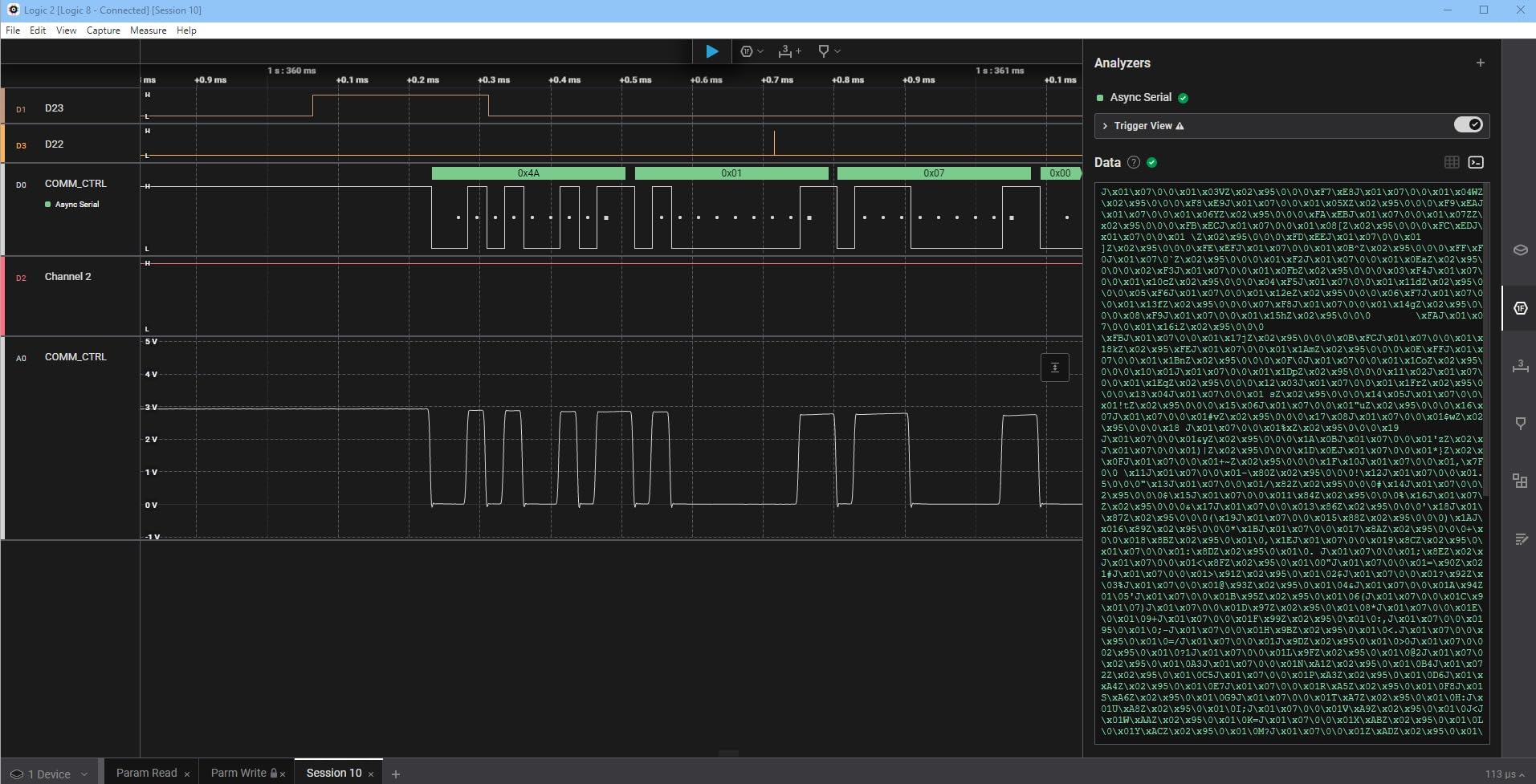
Capture depth is where it changes the experience. Using host PC memory over USB 2.0, it holds 10 billion or more digital samples and 500 million or more analog samples. For a hobbyist, that means a full boot log fits comfortably in one capture instead of scrolling past the interesting millisecond while you wait for a trigger.
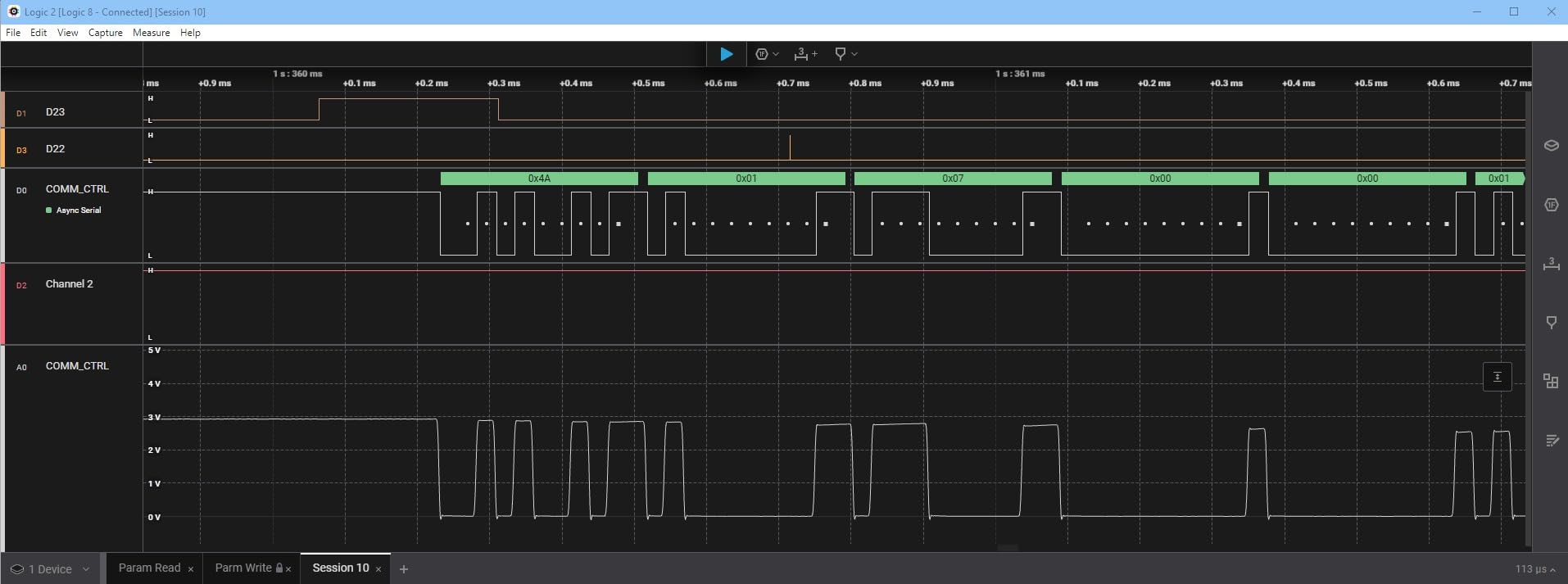
The software is the quiet advantage. Saleae’s decoder library covers SPI and I2C plus more than 23 further protocol analyzers, and the interface is smooth enough that a beginner gets a readable capture without a tutorial. Our oscilloscope guide is worth a read alongside this if you are still deciding between the two tool types, because the Logic 8 does both to a degree.
The honest limitations are the USB 2.0 pipeline, which caps throughput against newer USB 3.0 models, and analog sampling at about 10 MS/s. Cost is the third factor, and for many hobbyists it is the one that stops the purchase. The measurement is 9.5 x 5 x 2 inches and 0.5 kg, so it stays portable.
Where the extra spend goes
You are paying for capture depth, software quality and the flexibility of mixed digital and analog channels. None of that shows up in a channel count or a MHz figure, which is exactly why this unit is easy to undersell in a spec comparison.
For anyone who captures long serial boot logs, compares a suspect analog rail against the digital timing around it, or simply wants captures to work the first time, that is money well spent.
When a cheaper unit is the smarter call
Stay at the budget end if your debugging is I2C and SPI on 3.3V logic, because 24 MHz and eight channels already covers it. The Logic 8 earns its place when you start hitting limits that are about data volume and signal type rather than raw bus speed.
6. LONELY BINARY 8-Channel Analyzer Kit – Best for Breadboard Projects
LONELY BINARY Logic Analyzer Kit, 8 Channel 24MHz USB with Breakout Boards
8 channels at up to 24 MHz
Breadboard adapter included
Breakout board on 2.54mm pins
USB-A and USB-C cables
Pros
- Most complete accessory kit of any budget analyzer here
- Breakout board exposes all 8 channels on 2.54mm pins and clip pads
- Breadboard adapter makes prototyping solder-free
- Dual USB-A and USB Type-C cables and a storage case
- Reliable on Windows
- Mac
- Linux and Ubuntu
Cons
- 24 MHz ceiling limits faster captures
- Sample rate is really aimed at I2C
- SPI and UART debugging
- Some users report stability quirks with open-source software
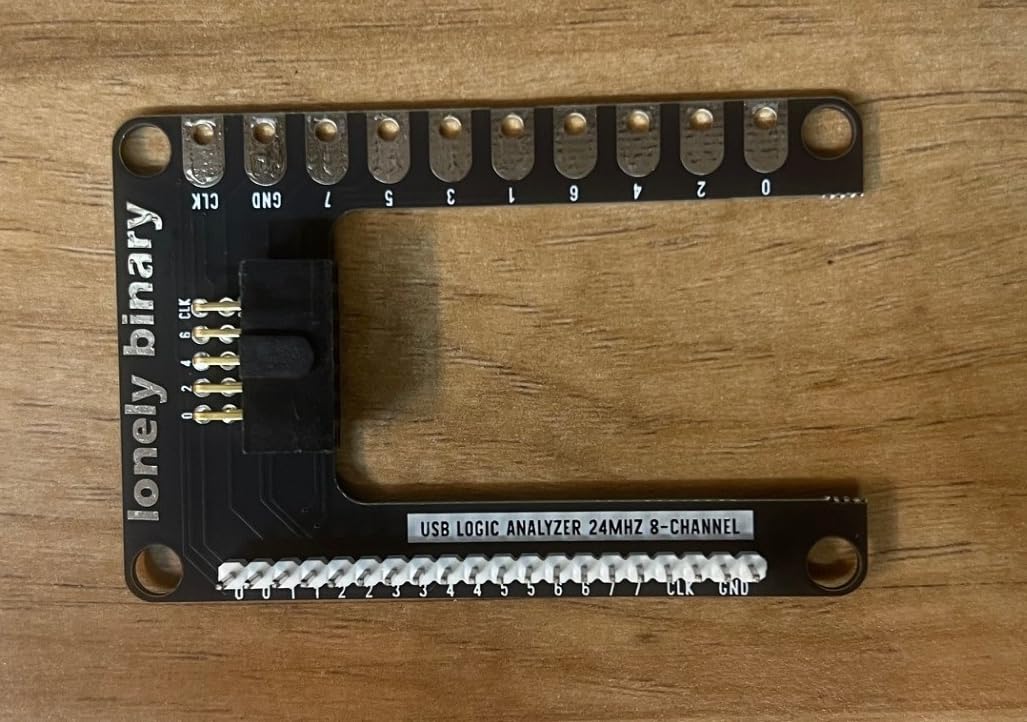
Every other budget analyzer here sells you a stick and a USB cable. This one is packaged as a kit, and that difference removes a genuinely annoying afternoon. You get the 8-channel 24 MHz base module, a dedicated breadboard adapter, a breakout board that exposes all eight channels on 2.54mm male pins plus pads for alligator clips, ten test clips, five alligator clips, jumper wires, both a USB-A and a USB Type-C cable, and a storage container.
The breadboard adapter is the reason this earns its place. Solder-free connection to an Arduino, ESP32 or Raspberry Pi Pico header is the difference between debugging in a minute and losing twenty to wiring a clip onto a 0.1 inch pitch pin.
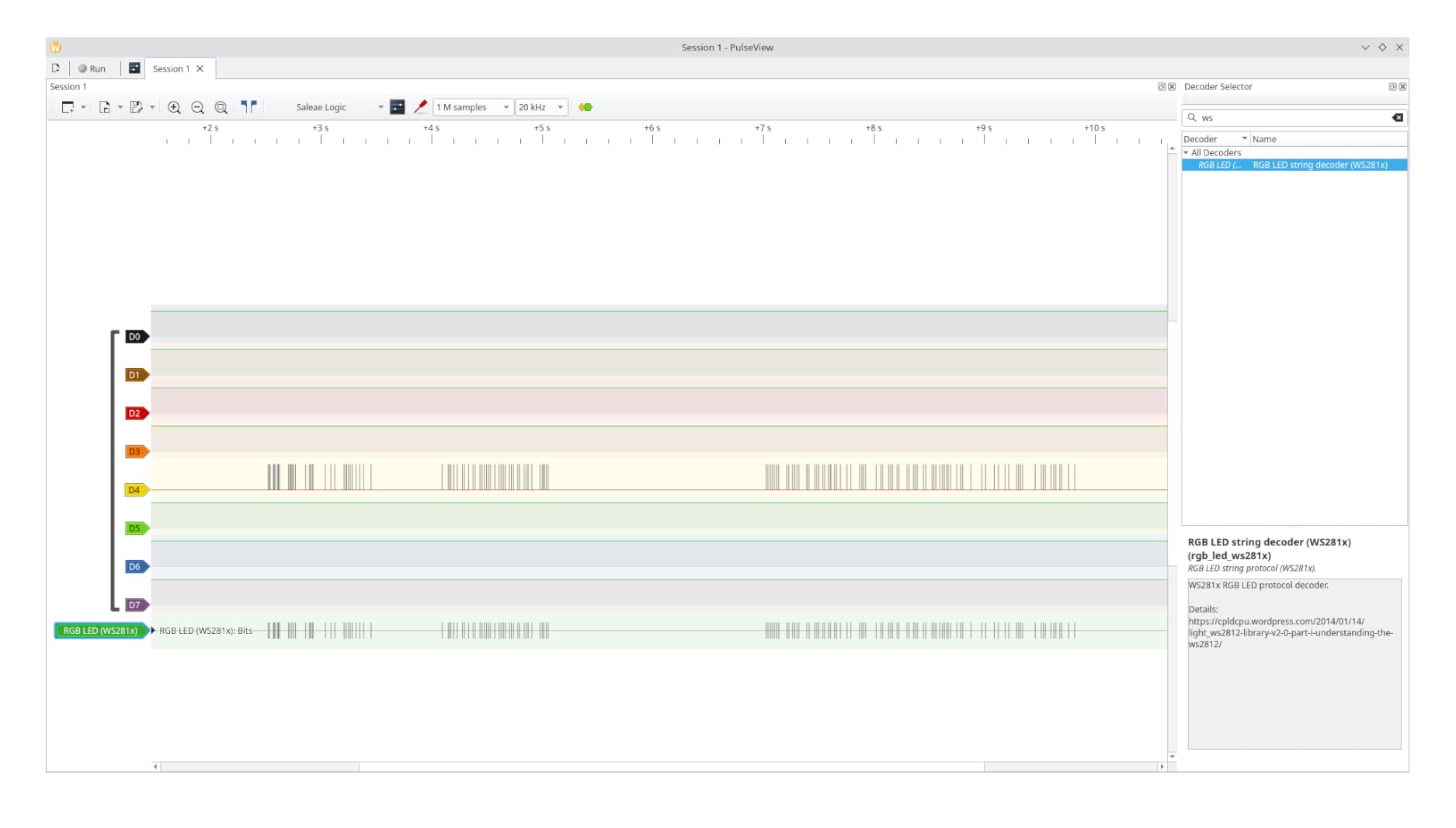
Dual USB connectivity covers older and newer PCs without an adapter, which sounds trivial until you are at a bench with the wrong cable and nothing spare. The kit runs on Windows, Mac, Linux and Ubuntu with open-source software, and the hardware itself is unremarkable in exactly the way you want – 8 channels, 24 MHz ceiling, nothing to configure.
Reviewers consistently highlight the accessory bundle and the breadboard-friendly adapters as the standouts, and equally consistently note that the performance is that of a typical 24 MHz 8-channel analyzer rather than anything beyond it. A few users report occasional stability or compatibility quirks with the open-source software.
Why the accessories are the feature
Judged purely on specifications, this unit looks like every other 24 MHz analyzer in the budget tier. Judged as a complete product, this is the budget analyzer here you can take straight from the box to a live breadboard without buying clips or pin headers first. For a beginner, that is worth more than another 80 MHz.
It is also a sensible gift, because everything needed to actually use it is in the box.
Where the limits show
Beyond 24 MHz, or on any bus where you need more than eight lines, you are at the ceiling of what this hardware can do. The 24 MHz figure is aimed squarely at I2C, SPI and UART level debugging, which is a fair description of most hobby work but not of all of it.
7. Saleae Logic Pro 8 – Best for High-Speed Signals
Logic Pro 8 (Black) – Saleae 8-Channel Logic Analyzer – Compatible with Windows, Mac, or Linux – Easy to Use, Ultra-Portable, Saves Time & Frustration
8 digital or analog inputs
500 MS/s digital, 50 MS/s analog
USB 3.0 interface
10 billion+ digital samples
Pros
- Very high bandwidth at 500 MS/s digital and 50 MS/s analog
- Every input usable as analog or digital
- Excellent Logic 2 software with streaming view
- Direct RS-232 interface support in hardware
- Reliable in repeated debugging sessions
Cons
- Reports of freezing when sampling at the full 500 MS/s rate
- Community decoder extensions are aging and may not compile
- Included USB cable is long and unwieldy
- Needs USB 3.0 and plenty of host memory
The Logic Pro 8 takes the same eight multi-use inputs as the Logic 8 and raises the digital rate to 500 MS/s with analog at 50 MS/s, over a USB 3.0 link. That is the jump that matters for fast SPI, memory buses and anything where you need to see signal integrity, not just bit values.
It keeps the same 10 billion-plus digital and 500 million-plus analog sample capability from host memory, and adds a streaming view in the software that stays responsive on large captures. There is also direct RS-232 interface support in hardware, which removes an adapter from the box for anyone working with older serial equipment.
Owners overwhelmingly praise the sample rate, the analog and digital flexibility and the software, frequently reporting it as a decisive step up from cheaper DSLogic alternatives. Several mention it being the tool that resolved a stubborn SPI or I2C fault after weeks of guessing.
The complaints are worth knowing. Some users report the unit freezing when sampling at the full 500 MS/s rate, needing a reconnection or a software restart, so run long captures at a lower rate when you do not need the top speed. Community extensions for protocol decoding are no longer actively maintained and may not compile, which is a real loss if you relied on them. The included cable is described as long and unwieldy, and best results need USB 3.0 and a machine with plenty of memory.
What the extra power unlocks
Fast SPI peripherals, parallel memory buses, and any signal where you care about how clean the edge looks rather than simply what bit it carried. If your current captures come back unreadable because the sample rate was too low, this is the fix.
Streaming view also matters for long captures, because you can watch data arrive instead of waiting for a trigger that may never come.
When to stay lower down the range
For I2C, UART and modest SPI work the extra sample rate changes nothing you will see. The step up only pays for itself when you are already hitting a real ceiling on signal speed, bus width, or capture size.
8. Digilent Analog Discovery 3 – Best for Labs and Classrooms
Analog Discovery 3: 125 MS/s USB Oscilloscope, Waveform Generator, Logic Analyzer, and Variable Power Supply
16 digital I/O at 125 MS/s
2-channel 14-bit 125 MS/s scope
2-channel 14-bit waveform generator
Programmable dual supplies
Pros
- Scope
- generator
- 16-channel logic analyzer and supplies in one unit
- Per-channel I/O configuration with 5V tolerant inputs
- FFT
- eye diagram
- spectrum and network analyzer views
- SDK for C
- C++ and Python plus LabVIEW and MATLAB
- Project box
- flywire assembly and header pack included
Cons
- Learning curve in the WaveForms software environment
- Analog bandwidth is modest against a dedicated bench scope
- Some instrument functions need the BNC adapter hardware
This is the most complete instrument in the roundup and the one that makes the most sense in a teaching lab. The logic analyzer section gives you 16 digital I/O channels at up to 125 MS/s per channel, each individually configurable and 5V tolerant, alongside a pattern generator for driving those same lines.
Around it sit a 2-channel 14-bit oscilloscope at 125 MS/s with a 30 MHz-plus bandwidth, a matching 2-channel arbitrary waveform generator, and programmable supplies covering 0.5 to 5V and -0.5 to -5V at up to 800 mA per channel. The input range of plus or minus 25V with differential channels is a safety and convenience win when you are probing real circuits.
The instrument suite is unusually deep for the price point, including FFT, spectrogram, eye diagram, XY plot, and spectrum, network and impedance analyzer views. The SDK supports C, C++ and Python with LabVIEW and MATLAB integration, so students can script measurements rather than clicking through a GUI.
The review base is small at 18, but strongly positive, highlighting versatility, 14-bit resolution and software extensibility. The two real caveats are the learning curve in the WaveForms environment, which can eat an afternoon, and bandwidth that is modest next to a dedicated bench oscilloscope. Some instrument functions also require the BNC adapter hardware.
Why classrooms and labs should want it
One box replaces a scope, a generator, a power supply and a logic analyzer, and a student can learn all four instruments in one tool. At 8.5 ounces and 7 x 2 x 9 inches it moves between benches easily, and the included project box, flywire assembly and header pack mean it is ready to use.
Per-channel configuration with 5V tolerant inputs is also genuinely useful, because it means mixed-voltage buses can be captured without rewiring.
Who should buy something simpler
Solo hobbyists chasing a single I2C fault will get more out of a simple 8-channel unit and keep the difference in their pocket. The WaveForms learning curve is real, and if you only need digital capture, most of this instrument goes unused.
9. DSLogic Plus 16-Channel Analyzer – Best for Capture Depth and Fast Buffered Triggers
DreamSourceLab DSLogic Plus USB-Based Logic Analyzer with 400MHz Sampling Rate, 256Mbits Memory, USB 2.0 Interface, 16 Channels
16 digital channels
400 MHz buffered sampling
256 Mbit on-board SDRAM
Stream mode up to 16G samples
Pros
- Very high 400 MHz buffered sampling rate for the tier
- 256 Mbit of on-board memory for real buffered captures
- DSView installs easily with nearly 100 protocol decoders
- Strong FPGA-based triggering in buffered mode
- Unibody aluminium case and shielded fly wires
- Adjustable threshold in 0.1V steps
Cons
- Digital only
- with no analog channels
- DSView differs from the familiar PulseView interface
- Documentation contains errors and is out of date
- Grabber-style probe leads are awkward on breadboards
The DSLogic Plus does something the budget units cannot: it buffers. Its 256 Mbit of on-board SDRAM holds a capture inside the device, which in buffered mode gives 400 MHz across 4 channels, 200 MHz across 8, and 100 MHz across all 16. That is real speed, held locally, rather than streamed hopefully to a busy computer.
It also switches to stream mode, sending data to host memory for up to 16G samples of depth when you want a long capture more than a fast one. Having both modes is what makes it flexible across very different debugging problems, and the adjustable logic threshold in 0.1V steps means it handles unusual signal levels that a fixed-threshold clone cannot.
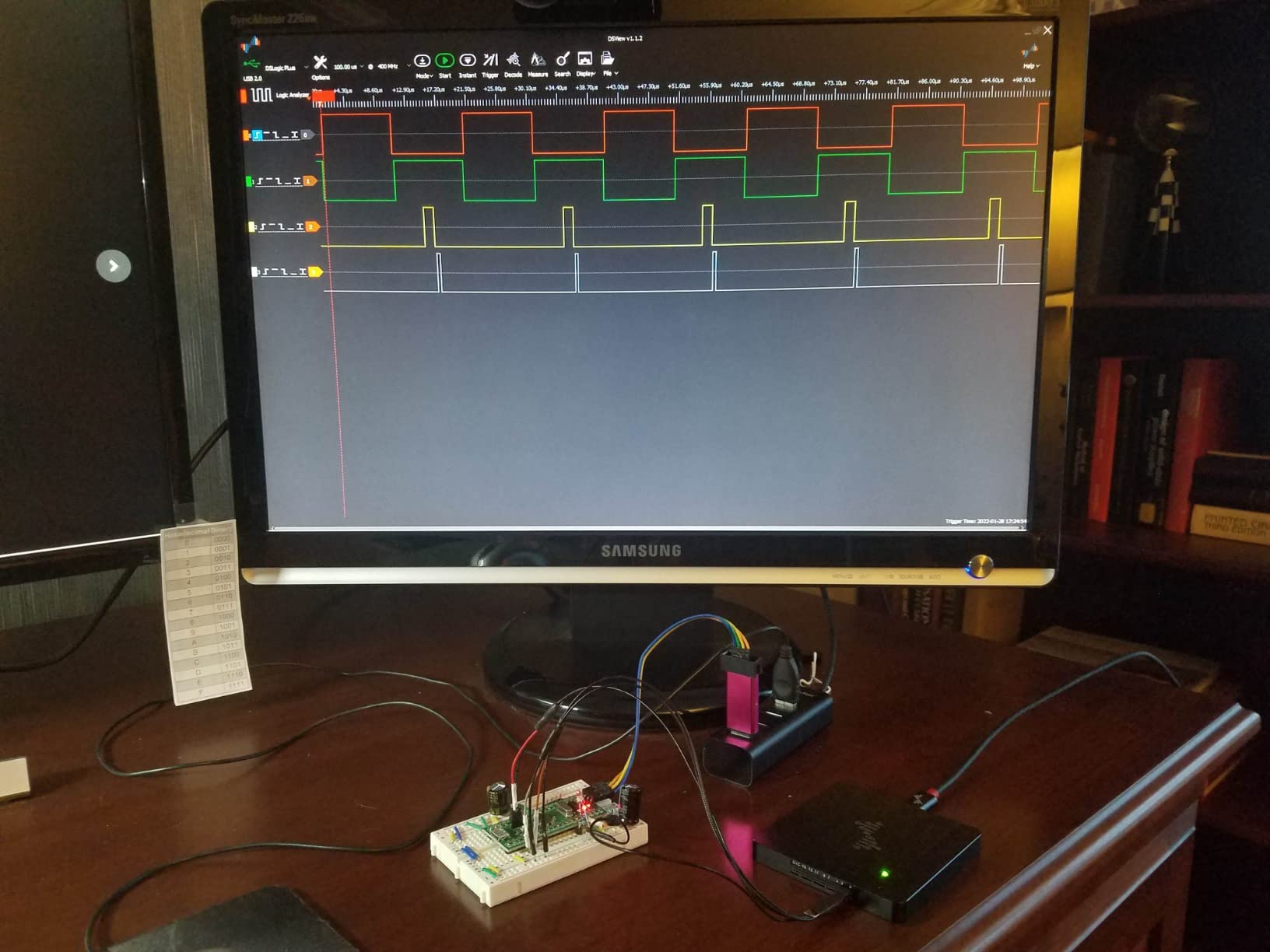
DSView is open-source software for Windows, macOS and Linux carrying nearly 100 protocol decoders, and users report it installs easily. The FPGA-based triggering in buffered mode is repeatedly praised, along with the unibody aluminium case and shielded fly wires producing clean waveforms.
The gaps are worth weighing. There are no analog channels at all, so you cannot probe a slower signal with the same device. DSView deviates from the PulseView interface in places, which will annoy anyone who learned PulseView. The documentation contains errors and has not been updated, and the grabber-style probe leads are awkward to attach directly to breadboard headers. The light display mode is also bright enough to be tiring, so use dark mode.
When buffering changes the outcome
Buffered capture matters when the event you need happens faster than your computer can stream, or when the trigger has to be evaluated on the device. Without on-board memory, a missed trigger means a lost capture and a retry, and on a fault that reproduces once every few minutes that is a long afternoon.
The adjustable threshold also makes this the pick for low-voltage or unusual logic levels where a fixed 1.5V threshold gives you wrong bits.
When to choose elsewhere
Buy the Saleae Logic 8 or the Analog Discovery 3 if you need analog probing, and stay with PulseView-based hardware if learning one interface matters more to you than raw speed and depth.
10. Saleae Logic Pro 16 – Best for Wide Buses and Professional Work
Logic Pro 16 (Black) – Saleae 16-Channel Logic Analyzer – Compatible with Windows, Mac, or Linux – Easy to Use, Ultra-Portable, Saves Time & Frustration
16 digital or analog inputs
500 MS/s digital, 50 MS/s analog
USB 3.0 interface
UL 61010-1 and IEC 61010-2-030
Pros
- 16 channels each usable as analog or digital
- Ideal for power sequencing and board bring-up
- 500 MS/s digital and 50 MS/s analog with huge capture depth
- Fast software with multiple trigger and viewing options
- Credited with resolving SPI
- I2C and RS-232 faults quickly
- Colour-coded cables
- clips and a carrying case
Cons
- Very high acquisition cost for hobby budgets
- No NIST-traceable calibration certificate available
- Software lacks repeatable and protocol-based triggering
- Cannot build custom bus vectors from selected channels
- Capture software is memory hungry
The Logic Pro 16 doubles the Logic Pro 8 to 16 multi-use inputs at the same 500 MS/s digital and 50 MS/s analog rates, with the same 10 billion-plus digital sample capability over USB 3.0. Each channel works as digital or analog, and that combination is what makes it the right tool for power sequencing and board bring-up, where you need analog voltage alongside digital state on the same timeline.
Owners describe it as indispensable for serious embedded work, frequently crediting it with resolving SPI, I2C and RS-232 faults quickly. The packaging is genuinely good – colour-coded cables, clips and a carrying case, all of which matter when you have 16 channels to keep straight. It also carries UL 61010-1 and IEC 61010-2-030 safety compliance, which is relevant if you will probe mains-adjacent circuits.
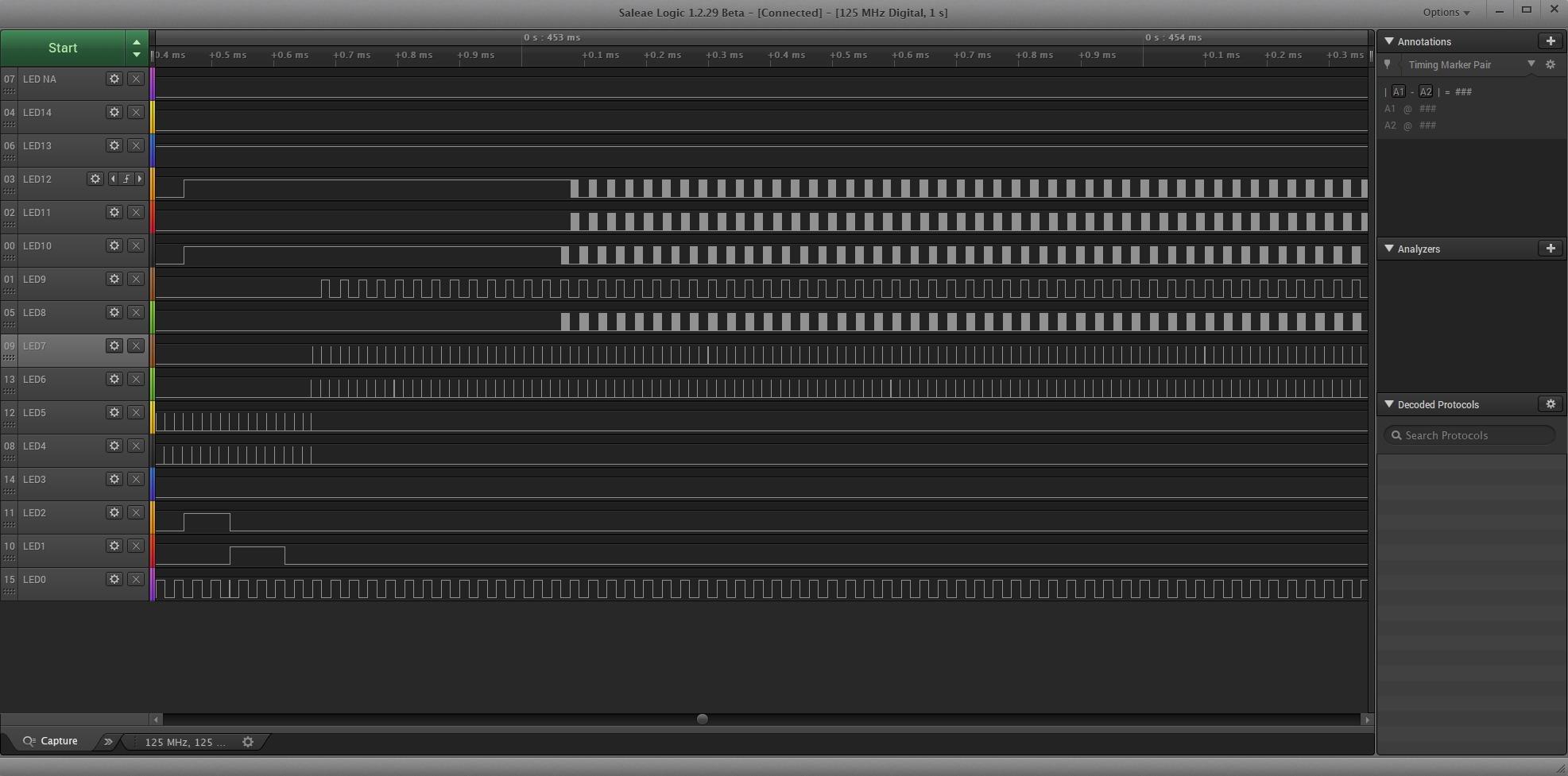
The criticisms centre on cost and on gaps in the software. Some users expected repeatable and protocol-based triggering and found it lacking, and you cannot create custom bus vectors from a set of selected channels, which some workflows need. The capture software is memory hungry and may require a host upgrade, and there is no formal NIST-traceable calibration certificate available.
At 10.9 x 7.4 x 3 inches this is no longer pocket-portable, though it is still USB-powered and cross-platform across Mac, Windows and Linux.
When 16 channels is the difference
Sixteen analog-or-digital inputs let you watch a complete power-up sequence – multiple rails plus the digital handshake around them – in a single capture. That is a job the 8-channel units cannot do, and for board bring-up it removes an entire round of guesswork.
It is also the right call if you work across several buses at once and would otherwise be aligning captures by hand.
When a hobbyist should not buy it
Be honest about the budget. If your debugging is I2C, SPI and UART on 3.3V logic, the units at the top of this list do the same job for a fraction of the outlay. This one is for people who have already hit the ceiling on what 8 channels can show them.
How to Choose a Logic Analyzer Without Overspending?
Start with the bus, not the spec sheet. Write down what you are debugging and how many lines it takes. One I2C bus needs two data lines, one or two chip selects, ground and a reference, so eight channels is comfortable. Two buses, a memory interface or a display controller pushes you toward sixteen. Anything wider and you are looking at a professional requirement, not a hobby one.
Then check sample rate against reality rather than the listing. I2C at 100 kHz, 400 kHz and 1 MHz, UART at common baud rates, SPI in the low single-digit MHz and SWD or JTAG debug ports all sit well inside 25 MHz. A 24 MHz analyzer handles them. Push past that only when you are working with fast SPI peripherals, memory buses, or you genuinely need to see how clean an edge looks.
Capture depth is the number buyers skip and then regret. Depth decides whether your capture contains the failure or only what happened after it. Stream-to-host designs lean on your computer’s memory and RAM, buffered designs with on-board SDRAM hold the capture in the device, and only the buffered approach guarantees you keep the trigger point. If you are chasing a rare boot-time fault, this matters more than sample rate.
Software is where budget units differ most, and the forums are clear about it. sigrok with PulseView is free, open, and decodes the protocols hobbyists need. fx2lafw is the open firmware standard that makes budget analyzers detectable, and units built on it usually work immediately while others need a firmware flash. Installing the WinUSB driver through Zadig on Windows is the standard first step, and doing that before your first capture rather than during a debugging session saves real time.
Driver conflicts are a known annoyance, particularly when a cheap clone and Saleae Logic 2 are installed on the same Windows machine. If you own hardware from both camps, check that the drivers coexist before committing. Reviewers also consistently flag units that need a flash, and units that are simply not recognised by certain laptop ports, as the two most common reasons a budget analyzer never gets used.
Consider the free and DIY path before you buy. A Raspberry Pi Pico running sigrok’s fx2lafw firmware, or an MCU-based build, gives you a working analyzer for the cost of a board, and PulseView is the same software you would use anyway. It is an excellent learning exercise and a perfectly capable tool for I2C, SPI and UART at hobby speeds. What it is not is a replacement when you need sixteen channels or a deep buffered capture.
Decide between a logic analyzer and an oscilloscope honestly. Analyzers answer what the bits are; oscilloscopes answer what the voltage is doing. If your project involves analog behaviour, power rails, timing margins or signal integrity, you need scope capability, and the Digilent Analog Discovery 3 and the EspoTek Labrador both put one in the same box as the analyzer. If your problem is a device that is not responding, an analyzer is the cheaper and faster answer.
On value across tiers, the pattern is consistent. The cheapest tier buys a working decoder for 8 channels on 3.3V and 5V logic, which covers the majority of hobby debugging. The middle tier buys channel count, adjustable thresholds, better triggering and bundled protocol breadth. The top tier buys sample rate, capture depth and build quality, and it only pays off once the cheaper units have stopped being enough. Our advice is to sit at the middle tier as long as possible and upgrade only against a specific failure, not a specification.
Finally, set a price-check date when you read any roundup, including this one. Logic analyzer pricing moves with sales cycles, and some widely read competitors still carry figures from an older season. Check the buttons below for current figures, and treat any dated figure in an article as a snapshot rather than a fact.
Frequently Asked Questions
What is the best logic analyzer for hobbyists?
For most hobbyists the HiLetgo 24MHz 8-channel USB logic analyzer is the best starting point, because it decodes UART, I2C and SPI reliably with free sigrok and PulseView software. Move up to the InnoMaker LA1010 when you need 16 channels and a broader decoder set, and to the Saleae Logic 8 when you want deep capture memory and digital plus analog inputs in one device.
What is the best logic analyzer available?
The strongest overall option in this roundup is the Saleae Logic 8, which combines 8 digital or analog inputs, 100 MS/s digital sampling, very deep capture memory and a polished decoder library. The Saleae Logic Pro 8 adds 500 MS/s digital and 50 MS/s analog sampling over USB 3.0 for high-speed work, and the Logic Pro 16 extends that to 16 channels for wide buses and board bring-up.
What is a Saleae Logic 8?
The Saleae Logic 8 is a portable 8-channel device whose inputs each work as either digital or analog. Digital capture runs up to 100 MS/s and analog up to 10 MS/s, and it holds 10 billion-plus digital and 500 million-plus analog samples using host memory over USB 2.0. It ships with protocol analyzers for SPI, I2C and more than 20 others, and runs on Mac, Windows and Linux.
What is Saleae Logic Pro 8?
The Logic Pro 8 is the higher-bandwidth version of the Logic 8, with the same 8 digital or analog multi-use inputs but 500 MS/s digital and 50 MS/s analog sampling over a USB 3.0 connection. It keeps the same very deep capture memory, adds a streaming view in the software, and includes direct RS-232 interface support in hardware. Some users report freezes at the full 500 MS/s rate, so lower the rate for long captures.
Why are logic analyzers so expensive?
The price gap buys specific things: on-board buffer memory for deep buffered captures, higher sample rates, more channels, adjustable logic thresholds for unusual voltage levels, and either more reliable software or a wider decoder library. For I2C, SPI and UART debugging on 3.3V and 5V logic, a budget 8-channel unit already does the job, so the extra spend is only worth it once you hit a real ceiling on depth, speed or channel count.
Can I use an Arduino as a logic analyzer?
Not usefully for real-time capture, because a microcontroller sampling its own pins cannot also stream the results fast enough to be useful. A Raspberry Pi Pico running the open-source fx2lafw firmware is a different story and works well as a genuine logic analyzer with sigrok PulseView, at the cost of the board alone. It is a good learning path and perfectly capable at hobby bus speeds.
How many channels do I need for a logic analyzer?
Eight channels covers one I2C or SPI bus comfortably, including chip select lines, ground and a reference. Sixteen channels is the right call for a memory bus, a display controller, or when you need to watch two buses at once. Thirty-two channels and beyond applies to parallel data and video-class signals, which is generally beyond hobby requirements.
What sample rate do I need for a logic analyzer?
For typical hobby protocols, 10 to 25 MHz is enough. I2C at 100 kHz, 400 kHz and 1 MHz, UART at common baud rates, SPI in the low single-digit MHz, and SWD or JTAG debug ports all sit comfortably inside that range. You need far more only for fast SPI peripherals, memory buses, or when you want to inspect edge quality and signal integrity rather than just bit values.
Final Verdict: Which Logic Analyzer Should You Buy?
The best logic analyzers for hobbyists in 2026 come down to which limit you have actually hit. If you are starting out and debugging I2C, SPI or UART on 3.3V and 5V logic, the HiLetgo 24MHz 8-channel analyzer is the pick: it decodes cleanly, works with free PulseView, and carries the largest review base of anything we tested. The LONELY BINARY kit is the better option if you want everything needed to connect to a breadboard in the box.
When eight channels is not enough, step up to the InnoMaker LA1010 for 16 channels and a much wider decoder library, or the DSLogic Plus if you need on-board buffer memory, a high buffered sample rate and an adjustable threshold. The Saleae Logic 8 is the all-round answer once you want deep captures and analog probing on the same device, and the Logic Pro 8 or Logic Pro 16 only make sense once you are genuinely limited by speed or bus width.
Whichever you choose, install the driver, set a simple edge trigger before you need it, and stop paying for megahertz you will not use. Use the buttons below to check current pricing, and pick up our oscilloscope guide if your project also needs to look at the analog side.