
If you have ever peeled a transfer off a mug and seen the print stay behind, you already understand why sublimation has eaten craft market after craft market. The ink turns to gas under heat and bonds with the polyester fibres or the coating on the blank, so the design becomes part of the item instead of sitting on top of it. Nothing cracks, nothing peels, and a properly loaded transfer survives the dishwasher. That is the whole reason people spend real money on a sublimation printer rather than a normal inkjet.
The trouble is that the buying decision is genuinely confusing, and the confusion shows up on every forum. The most common thread title in the crafter space is some version of “What model printer do you use?”, followed by “What is the best printer? Epson, brother, sawgrass?” That is the entry question, so let me name the three families before we get to the picks.
Epson SureColor models are purpose-built dye-sublimation machines. They arrive ready to print, carry a full manufacturer warranty, and ship with genuine Epson dye-sublimation ink.
Converted EcoTank printers are ordinary Epson office printers flushed and reloaded with sublimation ink. They are the cheapest route in, but conversion is permanent and colour control is on you.
Sawgrass and Brother are dedicated craft and production machines. Sawgrass is the supported colour-management route, Brother is the app-driven, fast, entry-level craft route.
This guide covers all six dye-sublimation machines we could stand behind in 2026, written for someone making mugs, coasters, polyester tees and personalised gifts rather than running a print shop. We did not manage to find a seventh and eighth model worth writing about, and we would rather tell you that than pad the list with paper and blanks. If you also need to print shipping labels, regular photos or school projects on the same machine, read the dual-purpose section carefully, because that single requirement eliminates half the shortlist before you spend anything.
Table of Contents
How we picked the best sublimation printers for crafters in 2026
Every printer here was assessed on the same five things, in this order. First, the maximum media size, because a machine that tops out at letter paper cannot lay down a full front-of-tee design without tiling. Second, the ink system and what it costs per millilitre to keep running, since that number decides whether your side hustle is profitable in month three. Third, the colour workflow, meaning whether the manufacturer supplies a profile or leaves you to build one. Fourth, warranty and support, which matters enormously on a converted machine. Fifth, the reviews, specifically the one-star share, because that is where setup failures and dead heads show up.
We deliberately weighted running cost above print speed. A fast printer with ink you cannot afford to run is a worse purchase than a slower one you can print all week. We also cross-checked owner feedback in craft communities, because the recurring complaint about cheap converted machines is rarely the hardware, it is the banding and the inconsistent blacks that come with a poor colour profile. If you want the broader picture of how printers are picked, our guides to the best home office printers and the best photo printers cover the cases where sublimation is the wrong tool entirely.
Top 3 Best sublimation for crafters right now (October 2026)
If you want the short answer, these are the three machines we would put on a craft table in 2026. The Epson SureColor F170 is the safest all-round buy, the Brother SP-1 is the fastest way to get a finished shirt on a person, and the Liene PixCut S1 solves the label and sticker problem that no other machine on this list touches.

Epson SureColor F170
- Letter-size dye sublimation
- 5760 x 1440 optimized dpi
- Genuine Epson inks included
- Wireless USB and Ethernet
Brother SP-1
- Prints up to 6 color pages per minute
- Built-in Wi-Fi
- Artspira design app
- Automatic duplex

Liene PixCut S1
- Print and cut in one device
- 300 dpi output
- 4x7 inch media
- Bluetooth app control
All six sublimation printers compared in 2026
Here is everything in one view before we get into detail. The media column is the one that quietly decides most purchases, so read it twice.
| Product | Specifications | Action |
|---|---|---|
| Epson SureColor F170 |
|
Check Latest Price |
| Brother SP-1 |
|
Check Latest Price |
| Liene PixCut S1 |
|
Check Latest Price |
 Sawgrass SG500 bundle Sawgrass SG500 bundle |
|
Check Latest Price |
 DNP QW410 DNP QW410 |
|
Check Latest Price |
 Epson SureColor F570 bundle Epson SureColor F570 bundle |
|
Check Latest Price |
1. Epson SureColor F170 – the best all-round choice
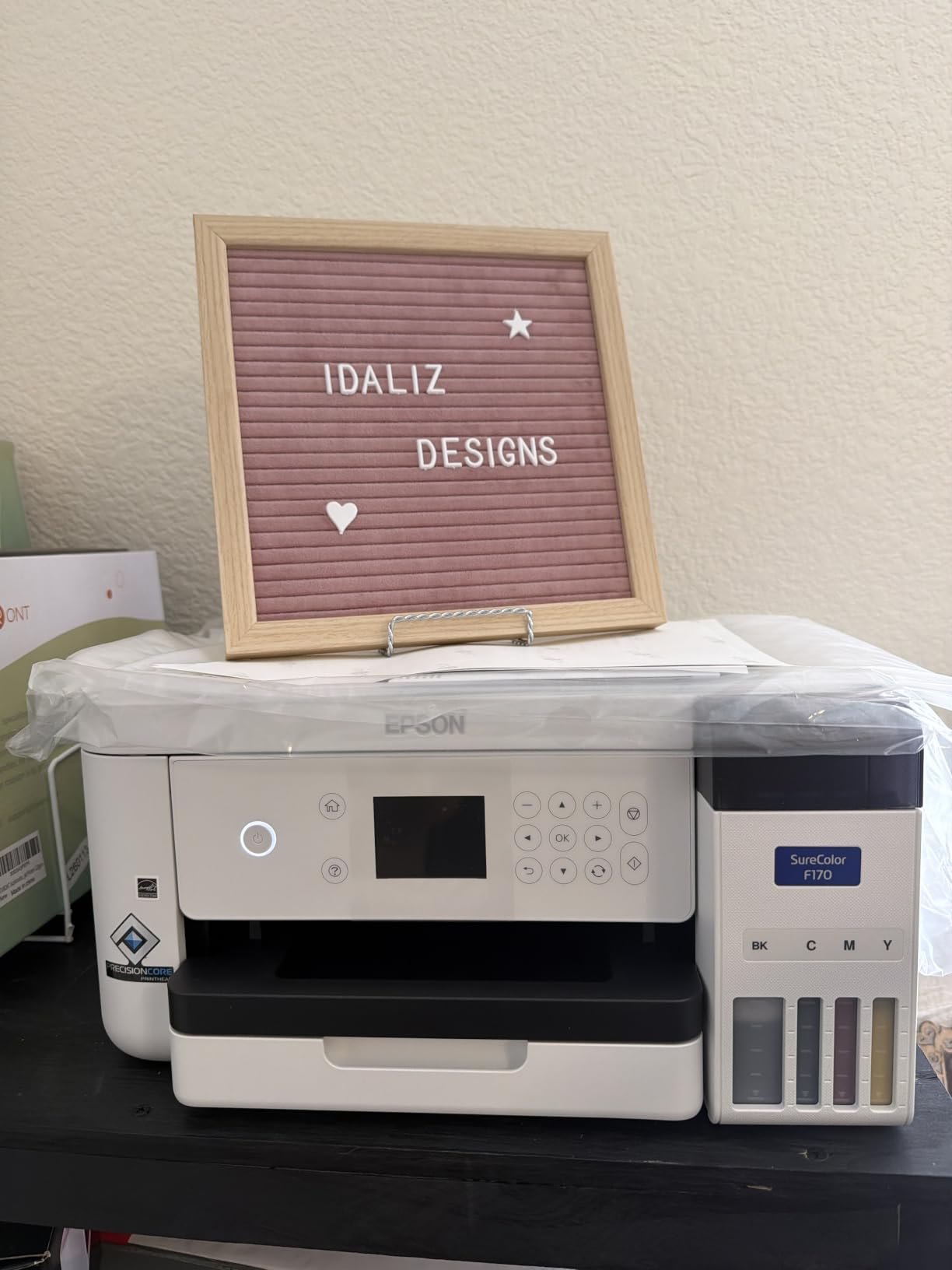
Epson SureColor F170 Dye-Sublimation Printer – Compact 8.5″ x 11″ Format – Includes Genuine Epson Ink, User Guide & Power Cable – Original OEM Product with Full Manufacturer Support
Letter-size dye sublimation
5760 x 1440 optimized dpi
150 sheet enclosed tray
Wireless, USB and Ethernet
Pros
- Compact footprint that fits a craft desk
- Genuine Epson ECO PASSPORT inks included
- PrecisionCore printhead for clean image clarity
- Enclosed dust-resistant paper tray
- Wireless
- USB and Ethernet
Cons
- Slow at 1 page per minute
- No mobile device support
- Single tray limits heavy paper runs
The F170 is the machine I recommend to someone who wants the shortest route from unboxing to a finished gift. It is a real dye-sublimation machine from the start, which means the ink is genuine Epson formula, the colour pipeline is documented, and the warranty is Epson’s rather than a repair shop’s guess. You are not flushing anything, and you are not researching profiles before you can print a single coaster.
Owners consistently single out the compact body as the reason it works in a home craft space. At 13.7 by 14.8 by 7.4 inches and 16 pounds, it is one of the smaller machines here, and the 150-sheet tray sits inside a closed, dust-resistant housing. That matters more than it sounds, because paper dust settling on a transfer sheet is exactly how you end up with speckles in a finished product.
The 5760 x 1440 optimized dpi figure is the highest resolution number in this entire group, and on a transfer paper workflow it produces sharp lettering on small items like coasters and ornaments. The single genuine weakness is throughput. One page per minute in colour is fine for a weekend craft session and genuinely painful for a hundred-unit order. If your Etsy shop ever needs batching, this is the machine you will outgrow, not the one you will regret buying.
Setup is the other thing people like. The driver installs on both macOS and Windows, and the ink bottles use an auto-stop key that stops the flow when the tank is full. For a beginner, that removes the single most common first-week mistake, which is overfilling a tank and having ink on your desk.
When the F170 is the right call for you
Choose the F170 if you are making mugs, coasters, puzzles, ornaments, mousepads, and the occasional polyester tee, and you want a full manufacturer warranty behind it. It is also the answer if you have been warned off converted printers and want none of that risk. The included Epson inks are certified for textiles, apparel, mugs and mousepads, so the first day of printing is not spent deciding whether you bought the right ink.
It is a genuinely good fit for a crafter who also wants to print an occasional document or a shipping label. Being an Epson SureColor model with wireless, USB and Ethernet, it fits into a home setup without pretending to be a craft-only device. If you need a scanner and copier in the same box, our laser printer guide covers that side of the market instead.
When the F170 will frustrate you
Skip it if you plan to sell in volume from the start. At one page per minute, a market order of 30 shirts becomes an evening’s work rather than an afternoon’s. It is also the wrong machine if you need anything wider than letter size, because anything larger means tiling the design, and tiling is where seams show up on a finished tee.
Running cost is the quiet issue. Genuine Epson dye-sublimation cartridges cost meaningfully more per millilitre than bulk bottle ink used in converted EcoTank setups. For a low-volume crafter, that premium buys you colour consistency and a warranty, which is a fair trade. For someone printing 20 shirts a week, it is the number that decides the machine.
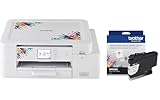
2. Brother SP-1 – the best craft-first machine
Brother Sublimation Printer and Black Ink Cartridge
Letter and legal media
1200 x 2400 dpi
6 color pages per minute
Built-in Wi-Fi with duplex
Pros
- Fastest colour throughput in this group
- Automatic duplex for two-sided work
- Built-in Wi-Fi plus Ethernet and USB
- Artspira app with 100+ designs included
- Extra black cartridge included in the bundle
Cons
- Proprietary cartridges are an ongoing cost
- Artspira app is required to get started
- Heat press sold separately
- Letter-size media limit
The SP-1 is the machine I hand to someone who is excited, wants results this week, and does not want to read a manual about colour management. Everything is handled inside the Artspira app, which comes loaded with more than 100 sublimation designs and an image-to-drawing conversion feature. You make the design, press print, press transfer, and you have a shirt. That is a very different experience from the profile-building ritual a converted EcoTank requires.
Speed is its headline number. At 6 pages per minute in colour and 12 in black and white, with print times quoted as fast as 45 seconds per sheet, it is roughly six times faster than the F170 on colour work. Add automatic duplex and a 100-sheet capacity, and this is the only machine here that keeps pace with a real order queue.
Connectivity is unusually good for a craft machine. Built-in Wi-Fi means you can send a design from a phone on the same network as the press, and Ethernet and USB are both present for a fixed shop-floor setup. There is a display screen on the body too, so you can check ink and paper without opening the app every time.
Now the part that should make you pause, and it is the running cost rather than the machine. Sublimation cartridges for this printer are proprietary, and proprietary consumables are always more expensive per millilitre than bottle ink. The bundle includes an extra standard-yield black SP01BKS cartridge, which is generous for a first machine, but it does not change the ongoing economics.
When the SP-1 is the right call for you
Choose the SP-1 if your list is mostly polyester tees, hats, tote bags, mousepads and awards, and you want to be printing this weekend. The Artspira workflow removes the two things beginners struggle with most, which is designing a transfer and getting the colour right. The free design library also means a new crafter can produce something decent before learning any design software.
It is also the smarter choice if you want to grow into volume without a second machine. Nothing about the workflow caps you at hobby quantities, and the duplex feature is genuinely useful for multi-position transfers where a small design needs printing twice on one sheet.
When the SP-1 will frustrate you
Do not buy it expecting wide-format work. Letter, legal and A4 are the media sizes, and a full front-of-shirt design has to be tiled. Nor is it the machine for a crafter who needs a true black or who cares about a neutral greyscale ramp, because a cartridge set tuned for vivid results rather than photographic subtlety is the wrong tool for that job.
And be honest with yourself about the app dependency. Every workflow runs through Artspira, which means your designs live in one ecosystem. That is a feature when you are learning and a limitation when you outgrow it. If you need hard-substrate colour accuracy, our guide to the best colour laser printers is a different conversation, but the SG500 is the more relevant comparison for hard goods.
3. Liene PixCut S1 – the best for stickers and labels
Liene PixCut S1 Color Sticker Printer & Cutting Machine – All-in-One Sticker Maker for DIY Crafts, Custom Labels & Gifts. Thermal Dye-Sublimation Photo Printer, 300 DPI, Precise AI Auto-Cutting
4x7 inch media
300 dpi thermal dye sublimation
Print and cut in one device
Bluetooth app control
Pros
- Print-and-cut in a single device
- AI extraction isolates subjects and drives the cut path
- 300 dpi output with 16.7 million colors
- Waterproof scratch-resistant laminated stickers
- No subscription required
Cons
- 4x7 media is very small for transfers
- Only 18 sheets at a time
- Bluetooth only with no USB option
- CMY ink so there is no true black
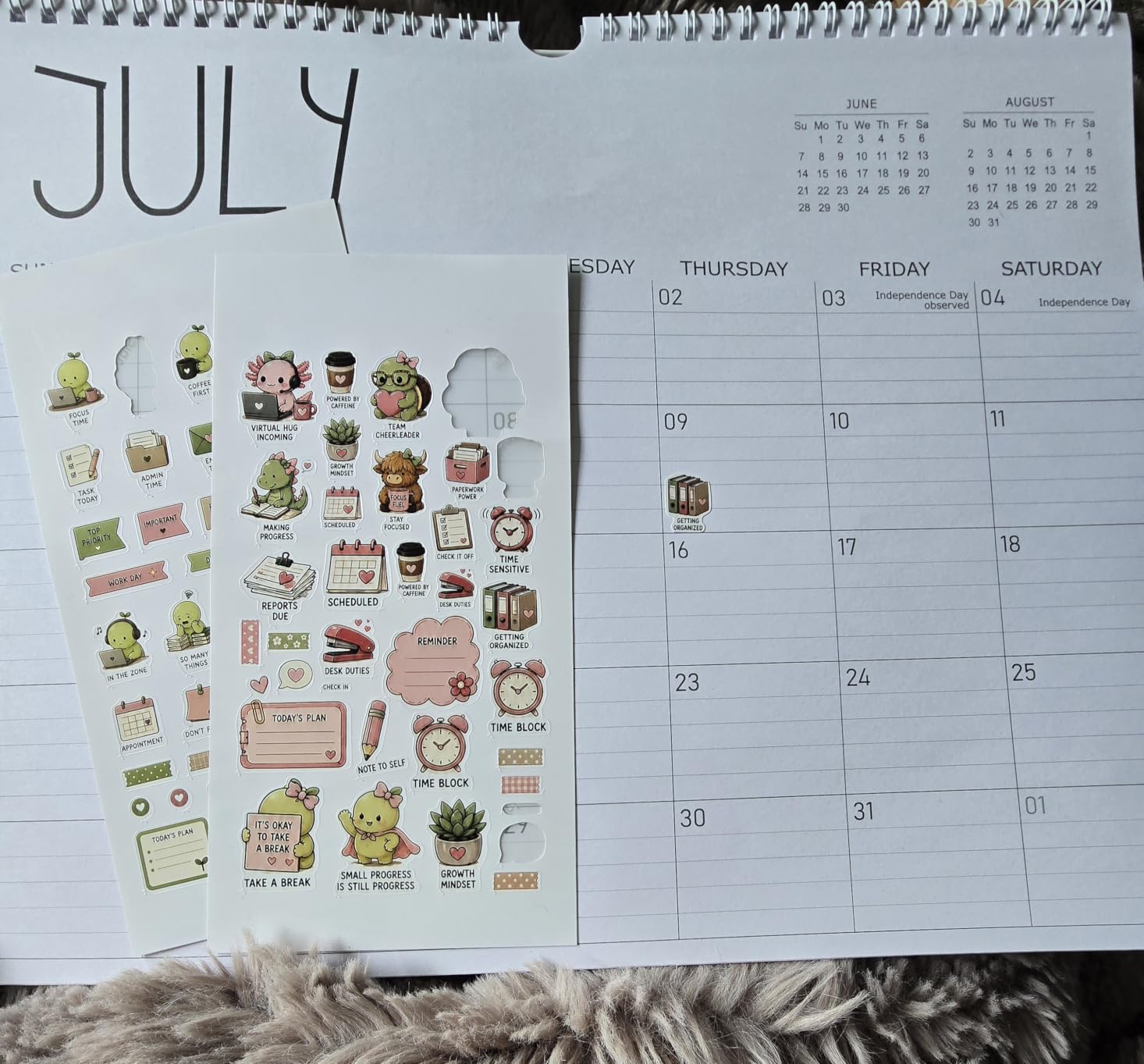
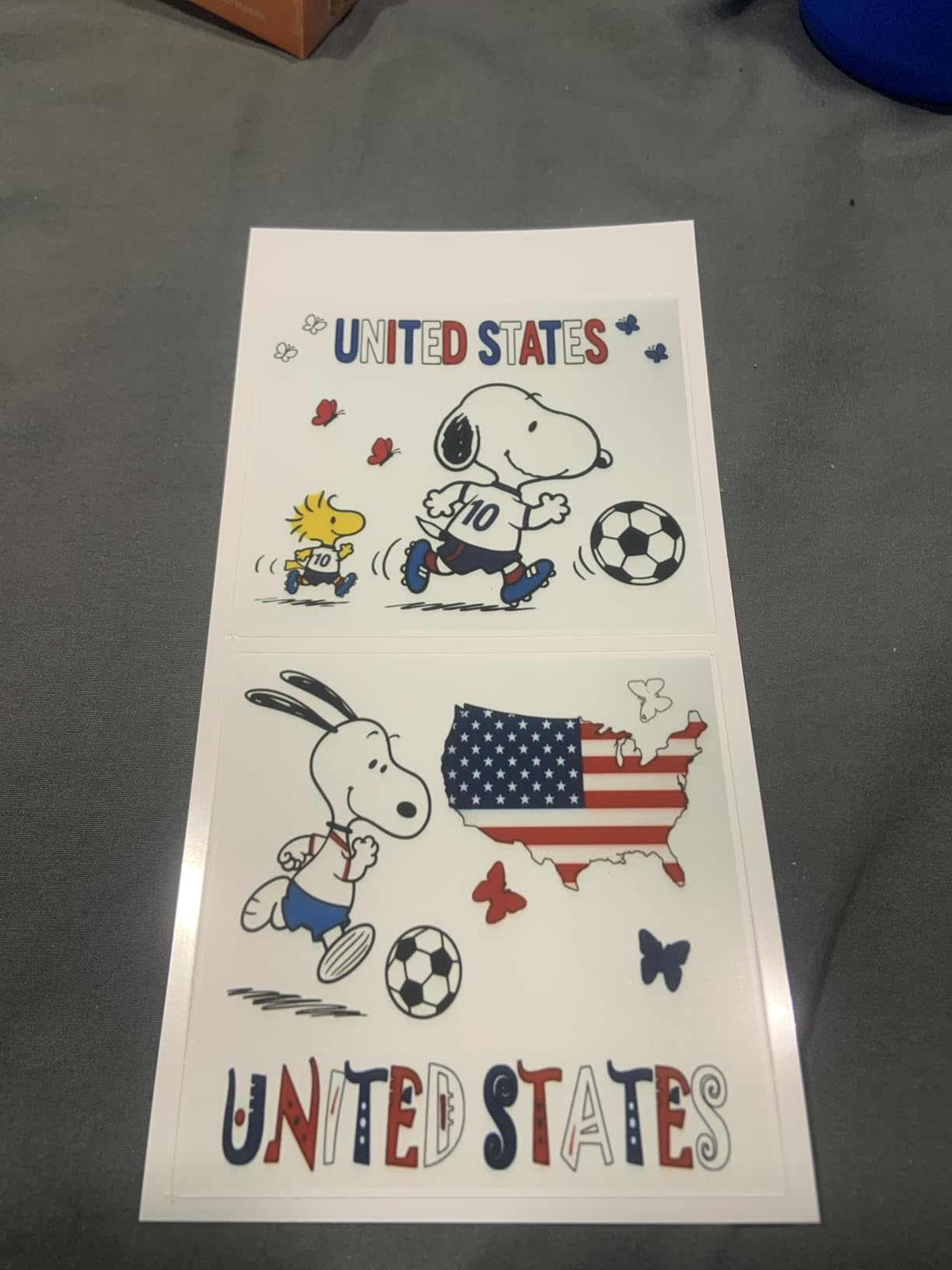
The PixCut S1 is the odd one out in this list and that is exactly why it is here. It is not a heat-transfer printer at all. It prints waterproof, scratch-resistant stickers at 300 dpi and then cuts the outline automatically, with no separate cutter, no weeding, and no peeling. For a crafter selling labels, gift tags, jar stickers or phone skins, it is a genuinely different product rather than a worse substitute.
The mechanism is a four-layer thermal dye-sublimation process that laminates each sticker as it prints, which is why reviewers describe the output as waterproof. A built-in blade and the AI image extraction feature work together: the app isolates the subject, generates a contour cut, and the machine follows it. In practice a full sticker takes about two minutes, and nobody has to learn vector cutting software to get a clean edge.
This is the highest review count of any machine in the guide, which tells you something about how many crafters have found the format useful. There is also no subscription, which matters more than it used to. You get tens of thousands of images, fonts and elements alongside thousands of templates, and the AI Lab feature will convert a selfie into anime or holiday illustration styles for seasonal orders.
It is worth being precise about what this machine is not for. A 4×7 inch sheet is the maximum media, and the tray holds 18 sheets at a time, so this is a label and small-gift machine. There is no heat press step, no transfer paper workflow, and no path to a full shirt front.
When the PixCut S1 is the right call for you
Choose it if your craft list includes stickers, labels, name tags, reward charts, package seals or small personalised gifts, and you currently own a separate cutting machine. It removes a whole category of work, namely weeding vinyl and cleaning up cut lines, and it does it from a phone over Bluetooth with no computer in the loop.
It is also the lowest-friction entry point in the guide. There is no ink loading, no flushing, no profile building and no press to buy before the first finished product. For a crafter who is unsure whether they even like stickers, that is a very low place to start.
When the PixCut S1 will frustrate you
It cannot print apparel or mugs. It cannot print a large sign or a wall panel. The 18-sheet tray means frequent reloading on a busy production day, and the CMY ink set means your blacks are composite rather than a real black pigment, which shows on dark photographic designs.
Bluetooth-only connectivity is the practical limit that would stop me recommending it for a desktop workflow. There is no wired USB option, so if you batch designs from a laptop in a studio rather than making one sticker at a time from a phone, this is a slower way to work. If your interest is portable photo printing instead, the DNP QW410 below is the more relevant comparison, and we cover similar ground in our best portable photo printers guide.
4. Sawgrass SG500 bundle – the best for pro colour
Sawgrass SG500 Sublimation Printer, 31 mL Inks and Paper Bundle
8.5 x 14 inch media
1200 x 1200 dpi
SubliJet UHD CMYK ink set
2 year manufacturer warranty
Pros
- Strongest colour quality in this group
- Full SubliJet UHD CMYK set included
- MySawgrass platform with detailed colour control
- Print head auto-maintenance
- Bypass tray accepts media to 8.5 x 51 inch
Cons
- Setup is difficult with minimal instructions
- Bundled software runs slowly
- SubliJet cartridges are a high ongoing cost
- Third-party ink is not supported
The SG500 is the machine to buy if colour accuracy on hard substrates is the whole point of your craft. Sawgrass is a dedicated dye-sublimation manufacturer, and the inks are made in small batches specifically for consistency, which is why owners keep coming back to it after trying a converted printer first. The blacks are black. The gradients are smooth. The photographs on a coated tile look like photographs.
The bundle includes a full set of SubliJet UHD inks in cyan, magenta, yellow and black, formulated for both soft goods and hard substrates, so you are not making a separate purchase to get started. Two trays hold 100 sheets, and a bypass tray expands media handling all the way to 8.5 by 51 inches, which is unusual at this size and useful for long banner transfers.
Colour control is where the platform earns its keep. MySawgrass handles design in the browser, and Sawgrass Print Utility adds Smart presets alongside manual colour channels, so you can correct a specific hue rather than guessing with a global slider. Print head auto-maintenance and Wi-Fi are both standard, and Sawgrass support is repeatedly praised for fast replacement of faulty units.
I want to be straight about the weaknesses, because they are real. Setup is genuinely difficult with minimal instructions, and some buyers hit driver compatibility issues on particular laptops. The bundled software is reported as slow to run. And third-party ink is not permitted, which locks you into SubliJet cartridges at a high ongoing cost, with mixing ink types risking damage to the machine.
When the SG500 is the right call for you
Choose the SG500 if you are making photo panels, coated ornaments, tiles, keychains and other hard goods where a washed-out image would hurt the product. It is also the safest pick for a crafter who is sensitive to colour and knows that a converted printer will not hit the same gamut. The two-year manufacturer warranty and the supported ink system remove the two biggest risks people take with cheaper routes.
If you print 8.5 by 14 sheets regularly, the second tray and the long-media bypass are real advantages over letter-only machines. And if you plan to grow into a business, this is the platform where scaling is least painful because the software is already built for job control.
When the SG500 will frustrate you
It is the wrong machine for a cautious experimenter. A noticeably high one-star share in owner feedback is the worst of any machine here, and it comes from exactly the problems above, hard setup, slow software, expensive proprietary ink, and occasional grid-line defects. None of those are dealbreakers, but all of them are the first things a beginner will hit.
Standard media also stops at 8.5 by 14, so designs larger than that need tiling, and the running cost is the highest in this guide. If your budget is genuinely tight and your volume is low, a converted EcoTank with bottle ink costs a fraction per millilitre, and you accept manual colour management in exchange. Also worth knowing: the retail review volume for this model is far lower than the Epson or Brother numbers here, so you are buying on manufacturer reputation more than on crowd consensus.
5. DNP QW410 – the best portable 4×6 photo printer
DNP QW410 4.5″ Dye Sublimation Printer, 300 x 300dpi, W QW410 4×6
4x6 media at 300 x 300 dpi
19 second print time
8 x 9.5 x 7.75 inch body
USB wired connection
Pros
- 19 second prints for 4x6 photos
- Colour accuracy compared with inkjet photo printers
- Compact and light enough to travel to markets
- Low 16.5 watt power draw
- Reduced curl output
Cons
- Check bundle contents on arrival
- Media changes are described as tricky
- USB only with no Wi-Fi
- 4x6 and 4.5x8 media only
The QW410 is the one to consider if your craft business involves giving people something in their hand. It is a dedicated dye-sublimation photo printer that outputs 4×6 prints at 300 by 300 dpi in about 19 seconds, and because the dye bonds into the glossy photo paper rather than sitting on top, the results do not scratch or fade the way inkjet photos do. For event printing, market giveaways or personalised photo gifts, that durability is the selling point.
Colour is consistent and accurate for a printer of this class, and the reduced-curl output is a genuine engineering touch that keeps finished prints flat enough to stack. At 19 seconds per 4×6, it handles a queue at a craft fair without anyone waiting more than a moment.
Portability is the reason this machine exists. The body is 8 by 9.5 by 7.75 inches and it weighs 14 pounds, which is genuinely carryable in a vehicle to an event. Power draw is 16.5 watts, so it will run off a modest setup without being the loudest thing in the room.
Be careful with the bundle, though, because this is the most common complaint in the reviews. Several buyers report the package arriving without ink cartridges or media rolls, and some mention needing a separate water management unit for the media to function as described. Verify what is in the box the day it arrives rather than the day you have an event.
When the QW410 is the right call for you
Choose it if you hand out or sell photos at markets, run a school or party photo booth, or make small personalised photo gifts. It is also a sensible companion machine for a crafter whose main heat-transfer printer is in a home studio, because it is small enough to live in a bag and fast enough to work at a stall.
The 300 dpi output and short print time mean you can offer on-the-spot printing as an add-on to an order, which converts directly into extra revenue per customer rather than a cost centre.
When the QW410 will frustrate you
It is not a sublimation transfer printer and will never become one. Media is 4×6 and 4.5×8 only, so there is no path to apparel, mugs, coasters or signage. Connection is wired USB only, with no Wi-Fi or network option, so it needs a laptop tethered to it.
Media changes are also described as tricky by owners, which adds friction when you are handling a queue of customers. If you want one machine that does both photography and transfers, this is not it, and no machine on this list is. Our guide to the best photo printers covers the wider photo market if you want to compare beyond dye sublimation.
6. Epson SureColor F570 bundle – the best 24 inch roll machine
Epson Surecolor F570 Bundle 24″ Desktop Sublimation Printer, Includes One Full Ink Set, User Guide, & Free Remote Install SCF570 (Printer & Inks)
24 inch rolls and sheets
50 sheet auto-feed tray
Built-in cutter
Epson Edge Print Pro
Pros
- Widest media capability in this group
- Built-in cutter and 50 sheet tray
- Software nesting and pattern repeats cut media waste
- Full ink set included in the bundle
- Wireless
- USB and Ethernet
- Nozzle verification reduces clog downtime
Cons
- Weighs 151 pounds and needs dedicated space
- Roll media needs a separate holder
- Most expensive ink in the craft category
- Software has a learning curve
The F570 bundle is the widest machine in the guide, handling rolls and sheets up to 24 inches across, and it is the right answer for banners, fabric panels, large photo panels and awards. If your craft work ever needs a design bigger than a sheet of paper, this is the machine that stops you from tiling everything you make.
The production features are the differentiators. There is a 50-sheet auto-feed tray, a built-in cutter for trimming finished output, and Epson Edge Print Pro with Adobe PostScript 3 and the Adobe PDF Print Engine. That software combination gives you job layout, nesting and pattern repeats, and on a 24-inch roll those are what make the material cost survivable, because you stop throwing away gaps.
Reliability engineering is unusually visible here. The PrecisionCore MicroTFP printhead with Precision Droplet Control is paired with Nozzle Verification Technology, which checks nozzles and helps reduce the clog downtime that ruins a fabric order. Connectivity covers wireless, USB and Ethernet, so placement in a studio or a small shop is not constrained by where the cable runs.
It is also one of only two picks in the guide with a 4.4 rating, on a much smaller review base than the desktop machines, so the satisfaction here is specific rather than volume-driven. The bundle includes a full T49M ink set plus free remote installation, which matters on a machine this size because setup is not trivial.
When the F570 is the right call for you
Choose it if you are producing signage, soft goods, fabric panels, or wall pieces, and you expect to grow past hobby volumes. Nesting and pattern repeat in the bundled software is the feature that pays for the machine, because on wide media the waste is where the money disappears.
It is also the right choice for someone moving from a desktop machine to a shop setup and does not want to re-learn colour management. Epson Edge Print Pro gives job-level control that the desktop models in this guide do not offer, and the cutter removes a separate trimming step from your workflow.
When the F570 will frustrate you
Do not buy it for craft blanks. The body is 32 by 38 by 10 inches and weighs 151 pounds, so it needs a dedicated bench or floor space, and roll media up to 100 feet requires a separate roll holder and its own handling room. For mugs and coasters, that is a lot of machine for a small piece of plastic.
The running cost is the highest in this roundup, since T49M cartridges sit at the expensive end of the craft sublimation category, and the Epson Edge software carries a real learning curve for first-time users. If your entire output fits on letter or tabloid paper, the space and the ink spend are wasted. Buy a desktop machine first and treat this as the upgrade you make when a specific 24-inch job is paying for itself.
What to check before you buy a sublimation printer
The single most useful thing you can do before choosing a machine is decide what you are actually making, because the blank determines the printer class far more reliably than the spec sheet does.
Mugs and tumblers need a machine with reasonable colour saturation and, regardless of printer, a separate mug press. This is the most common oversight in the whole space, and no printer in this guide eliminates that purchase. Letter-size media is enough for a standard mug wrap.
Polyester tees, totes and hats need an A3 or tabloid path if you want full-front designs without tiling. That points toward the SG500 or a wide-format model rather than a letter-only desktop unit.
Coasters, puzzles and ornaments are the easy ones. Any of the desktop machines here handles them comfortably, and the Liene PixCut S1 covers the flat sticker and label version of the same idea.
Photo panels and signage are where colour accuracy starts to matter and where the Sawgrass platform earns its running cost. Large banners need the 24-inch class.
Labels, stickers and gifts handed over in person need a print-and-cut device or a portable photo printer, not a transfer machine at all.
The second question, and the one that eliminates half this shortlist, is whether the machine also has to print paper. If you need shipping labels, school worksheets, recipe cards or ordinary photos from the same device, a dedicated dye-sublimation machine like the F170 or SG500 is the wrong tool, because they only print transfer media. A converted EcoTank is the standard answer here, since it keeps ordinary paper printing, but the conversion is permanent and you will need to do your own colour management. A print-and-cut sticker machine covers a different slice of that same need.
The third question is the running cost, and it is where most people get caught. Bottle-based ink on a converted printer is by far the cheapest per millilitre, typically a fraction of the price of a cartridge. Cartridge systems on dedicated machines, including the Brother SP-1 and the Sawgrass SG500, are consistently the most expensive to run. There is no way to quote a single number here honestly, because cartridge yields and printer duty cycles differ, but the direction is firm: buy the printer you can afford to feed.
On the converted route, understand what you are taking on. A converted EcoTank cannot be un-converted, and the manufacturer warranty is void the moment you flush it with cleaning fluid. You will also need an ICC profile matched to that exact printer, and without it you will get dull colours, oversaturation, weak blacks or banding, which is the failure mode crafters complain about most often. If you enjoy a weekend of setup and colour calibration as part of the hobby, this is fine. If you want to print a gift on Saturday, it is a poor trade.
Print size is the deal-breaker people regret most. Buying a machine that tops out at letter and then discovering you need 13 by 19 is the most common expensive mistake in this category, and the fix is simply to check your largest intended blank before you pay rather than after.
Finally, budget for what else you need. Dye-sublimation ink is only one line of a real project. You also need transfer paper, blanks with the right coating, and a heat press, which is the purchase people underestimate and then regret. A heat press, blanks and paper together routinely cost more than the ink, and there is no shortcut where a press is required. Add a scale, a press tape roll and a way to keep unpressed transfers flat, and that is your first project budget on top of the machine.
One honest note before you commit. Sublimation ink bonds with polyester and with polymer coatings, and it will not bond with 100 percent cotton. If most of what you want to make is cotton, DTF transfers are a legitimate alternative, and some crafters who start here move to DTF or screen printing within a year. Choose the process that matches your blanks, not the one with the better printer.
Frequently Asked Questions
What is the best printer to do sublimation printing?
For most crafters the Epson SureColor F170 is the best starting point because it is purpose-built, arrives with genuine Epson dye-sublimation ink, and keeps a full manufacturer warranty. The Brother SP-1 is faster and app-driven if you mostly make apparel, and the Sawgrass SG500 is the choice when colour accuracy on hard goods matters most.
Is Epson or Sawgrass better for sublimation?
Epson wins on affordability, warranty coverage and how easy the machines are to start. Sawgrass wins on colour consistency, supported ICC profiles and hard-substrate results. Most crafters should begin with an Epson SureColor model and only move to Sawgrass once colour accuracy is limiting their products rather than their ideas.
Which Epson EcoTank printer is best for crafters?
Among convertible models, the ET-2800 class is the standard hobbyist starting point because it is widely supported, prints letter size, and uses cheap bottle ink. Larger converted wide-format models are the choice once you need 13 by 19 transfers. Whichever you pick, conversion is permanent and voids the manufacturer warranty.
What is the best sublimation printer for printing on mugs?
Any of the desktop dye-sublimation machines in this guide prints mug transfers well, and the Epson SureColor F170 is our pick for most people. The important point is that the printer is only half the system. Mugs need a coated or polymer-coated blank and a separate mug press, which is where the finished quality actually comes from.
Is the Epson 2800 a good sublimation printer?
As a converted budget machine, yes, and it is the consensus hobbyist starting point. As a dedicated dye-sublimation printer, no, because it has no manufacturer support, no official profile, and colour consistency depends entirely on your own calibration. Judge it as a cheap way in rather than as an equal to a purpose-built machine.
Is the Sawgrass SG500 a good sublimation printer?
It is the best print quality in this group and the safest supported choice, with a two-year warranty, print head auto-maintenance and a full SubliJet UHD ink set included. The trade-offs are difficult setup, slow bundled software and expensive proprietary cartridges, so it suits crafters who prioritise output over running cost.
The sublimation printer to buy first
If you only buy one of the best sublimation printers for crafters in 2026, buy the Epson SureColor F170. It is purpose-built, it ships with genuine dye-sublimation ink, it keeps a real manufacturer warranty, and the overwhelming majority of owners rate it five stars. Nothing else on this list removes as much risk from a first purchase.
Buy the Brother SP-1 instead if apparel is your main product and you want finished shirts this weekend. Buy the Liene PixCut S1 if your work is stickers and labels rather than anything heat pressed. Buy the Sawgrass SG500 once colour accuracy on hard goods is the thing limiting your products, and save the 24-inch F570 for the day a specific large job pays for the machine.
Start with one machine, learn one blank type properly, and get the heat press and blanks right. A craft table with a well-understood desktop printer and a good press beats a wide machine you are still learning.